

Accurate table detection
Designed for tricky layouts, including multi-row and complex headers, so extracted data stays structured.
Upload a PDF and select pages. Let the magic happen. Download everything as XLSX, CSV, or JSON. Built for both no-code workflows and API-first automation.
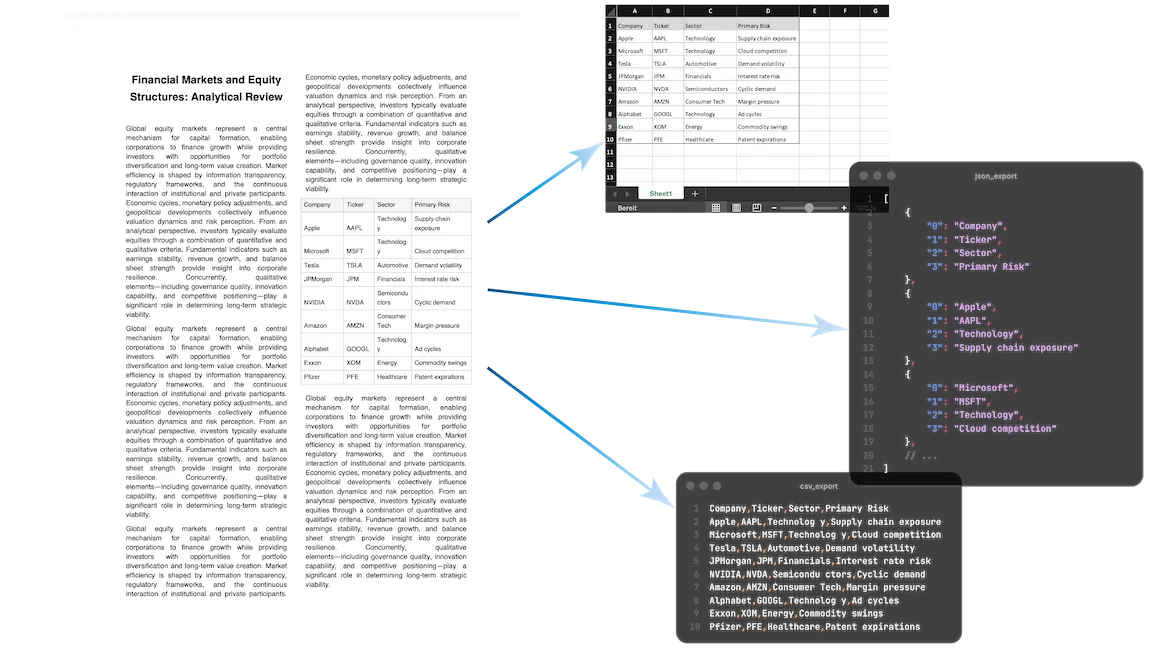
Upload a PDF, choose up to 5 pages, extract all tables, and download clean outputs for spreadsheets and pipelines.

5 pages to analyze

Your document is being analysed. While you wait, you can enter your email address to ensure the results are assigned correctly.
A token is sent to your email address. Please enter this token below to verify your address.
Thank you! The extraction job is running.
View resultsStop manually adding, deleting and swapping rows and columns. Upload your bank statements, credit card bills, or invoices as PDF, create your own structure and export to exactly the format you need.
| Umsatz | Soll/Haben | BU-Schlüssel | Belegdatum | Konto |
|---|---|---|---|---|
| 1250,00 | S | 9 | 1503 | 8400 |
| 45,99 | H | 9 | 1603 | 4900 |
| 3200,50 | S | 8 | 1803 | 8300 |
| 89,70 | H | 9 | 2103 | 4930 |
| 560,00 | S | 9 | 2203 | 8400 |
| 149,99 | H | 9 | 2303 | 4950 |
| 980,25 | S | 8 | 2403 | 8300 |
| 72,10 | H | 9 | 2503 | 4925 |
| 430,00 | S | 9 | 2603 | 8400 |
| 215,60 | H | 9 | 2703 | 4980 |
| 1750,00 | S | 8 | 2803 | 8300 |
Precise table extraction like enterprise software and easy to use as a simple tool.
Designed for tricky layouts, including multi-row and complex headers, so extracted data stays structured.

Process only the pages you need and avoid unnecessary extraction noise from the rest of the document.

Get XLSX, CSV, and JSON outputs from one run and choose the best format per downstream consumer.

Every extraction is tracked with status and metadata, making reruns and audits reproducible.

Integrate extraction directly into ETL and internal workflows through simple, predictable endpoints.

Enable OCR-assisted extraction when source PDFs are scanned and text layers are unavailable.
This is all you need: Upload a file, receive a job_id, poll status, and download extracted tables in the format you
need.
POST /v1/uploadGET /v1/extraction/{job_id}GET /v1/download/{table_id}?format=xlsx|csv|json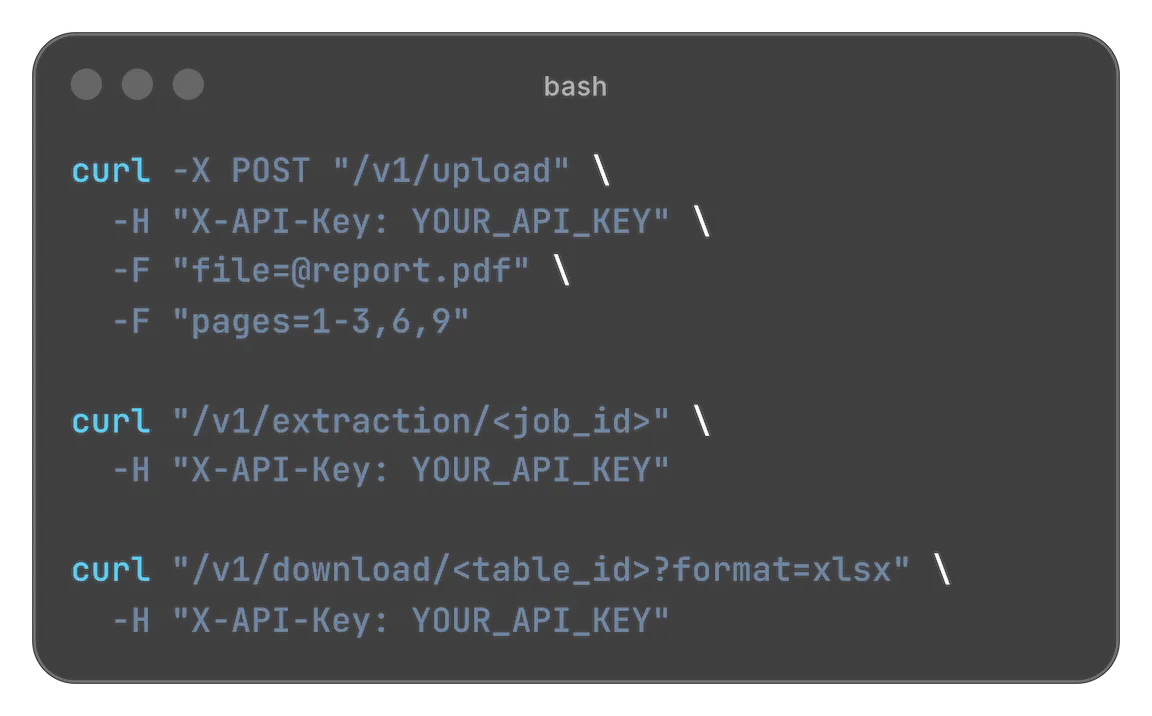
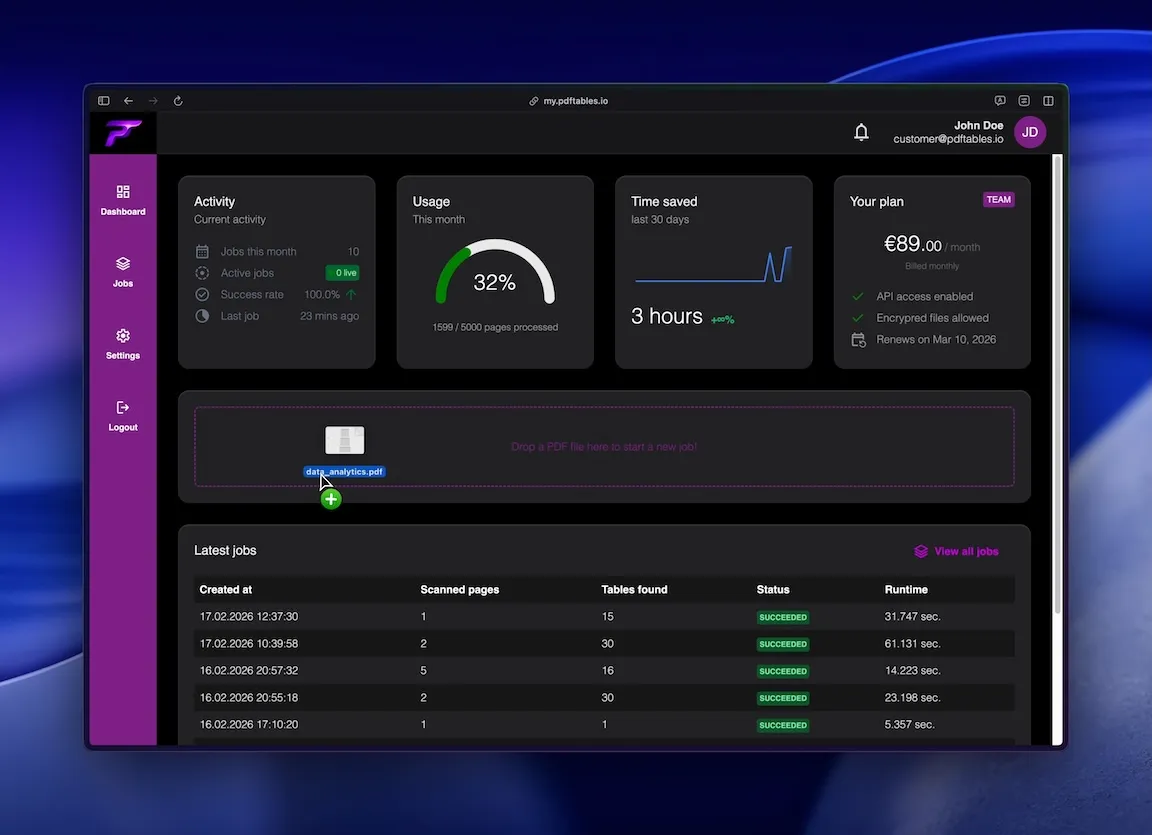
Drag a PDF document and drop it in the selected area. The upload starts immediately.
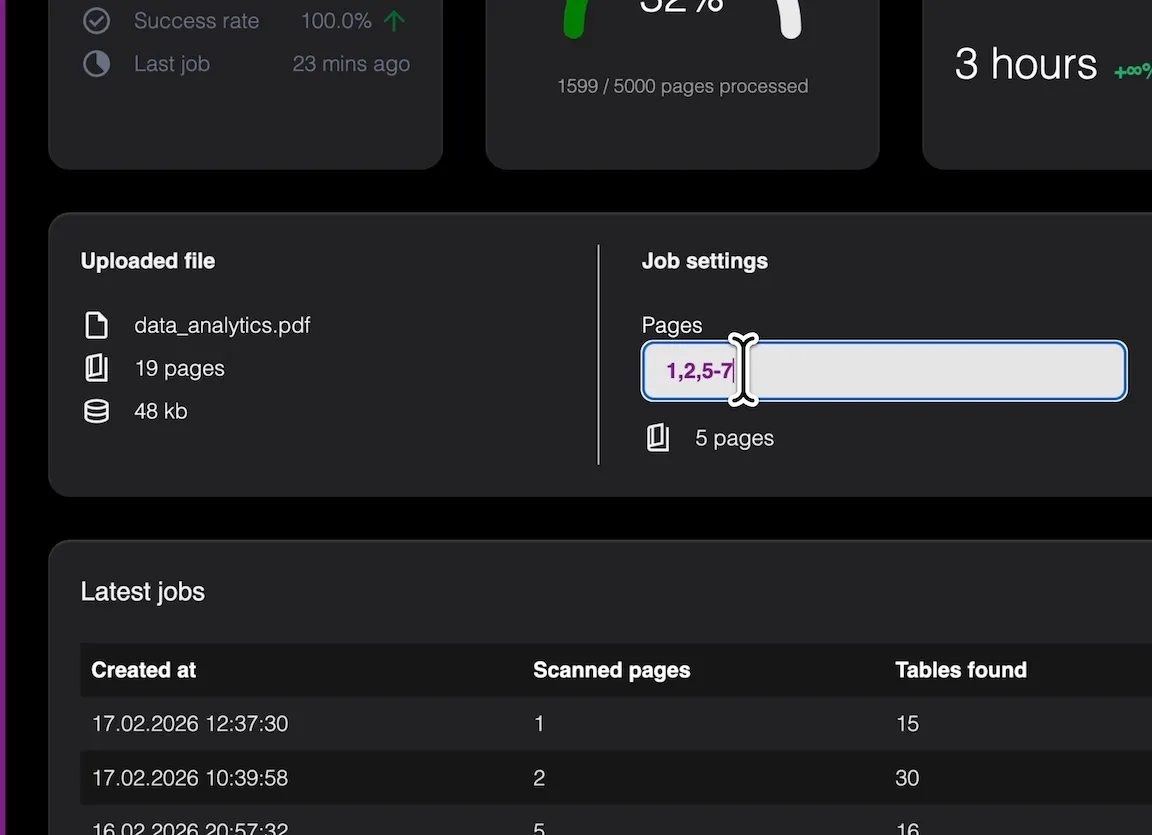
Select those pages you wish to extract tables from. Just like you may know from apps as Microsoft Word (1,2,5-7,11,...)
Just one click to start the job. You don't have to wait here. The job runs in background.
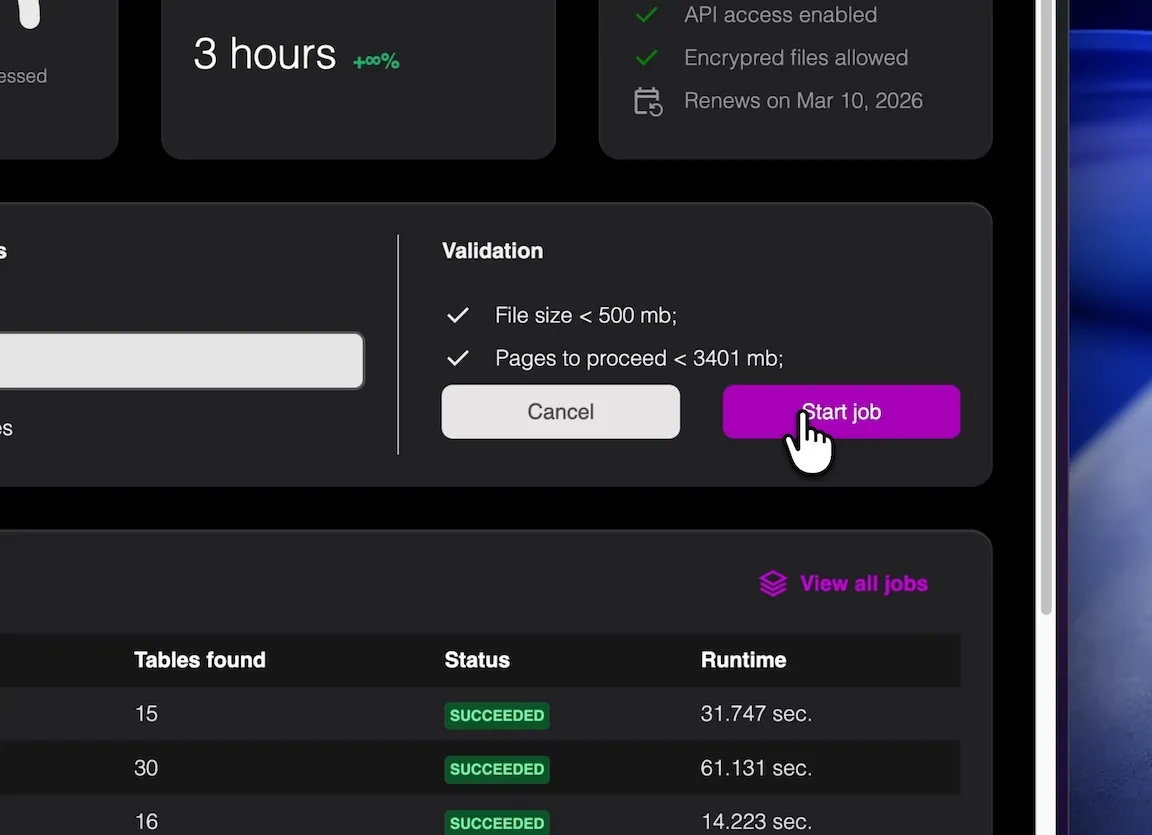
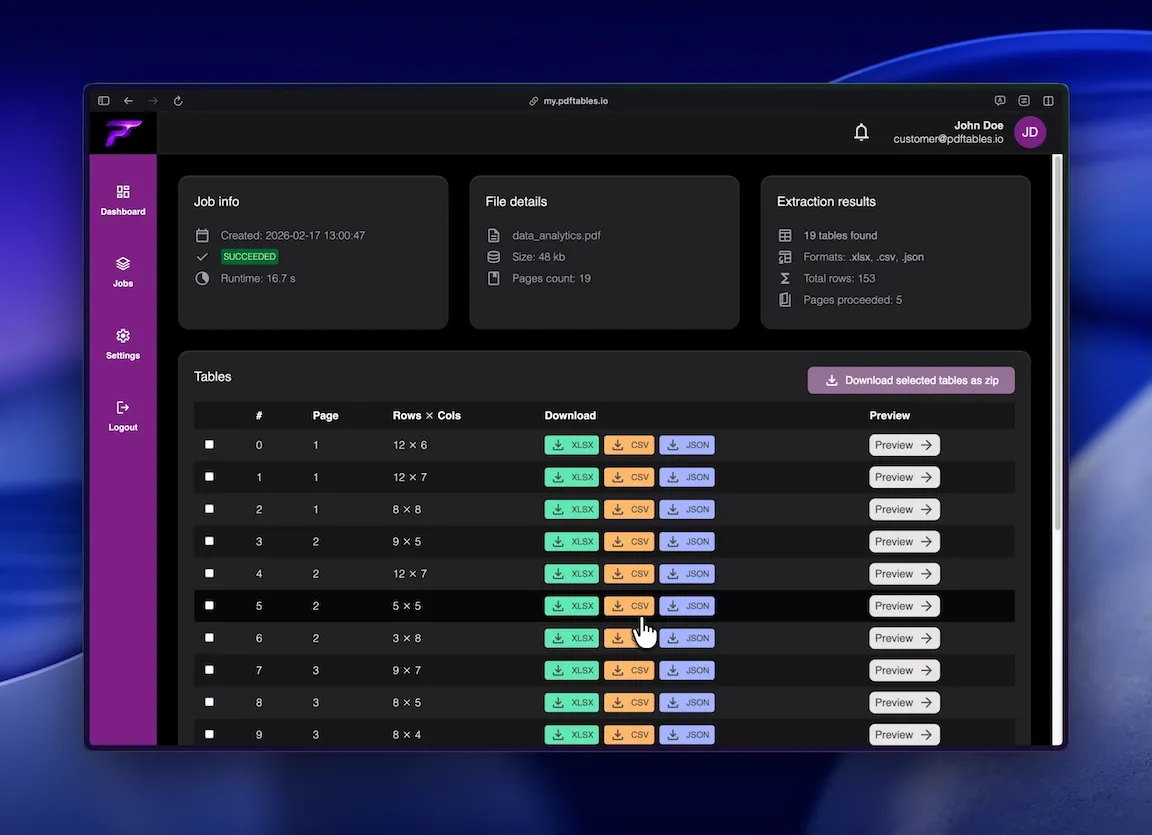
After the job is finished, you can access the result data to preview, select and download the tables.
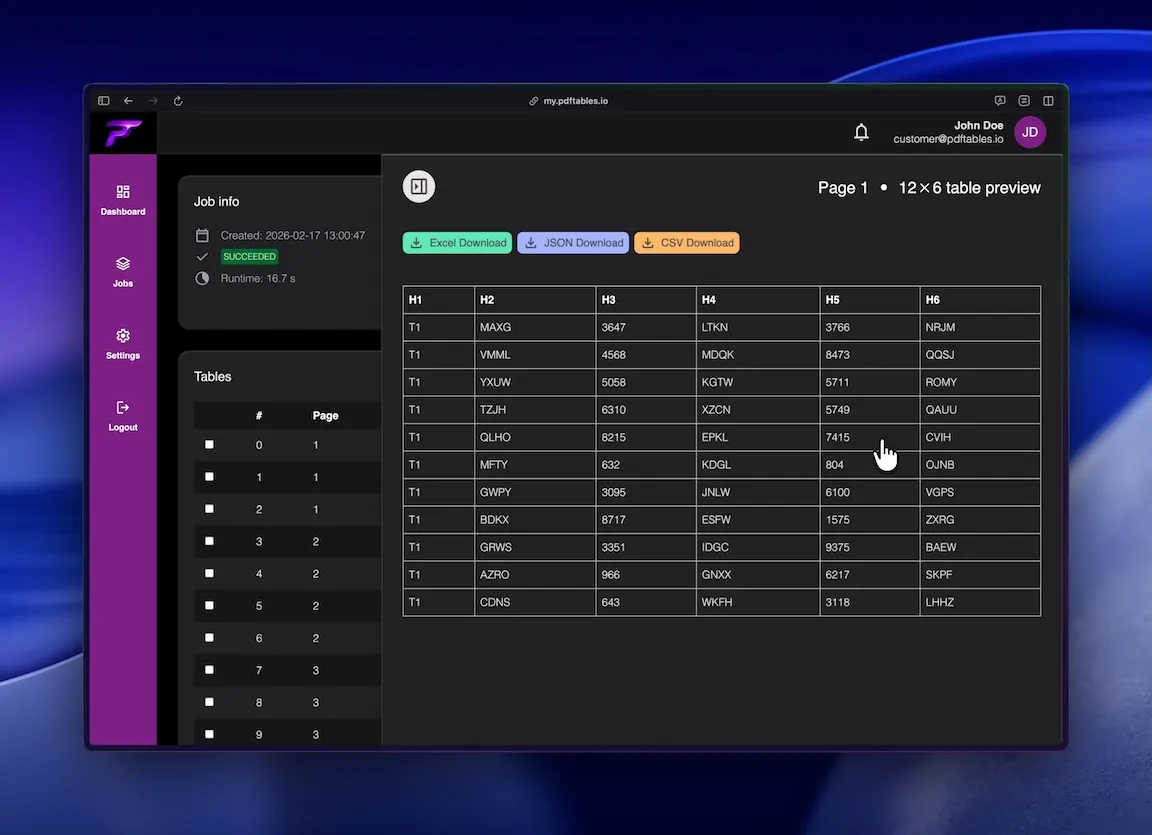
View the table preview before downloading for more efficient work.
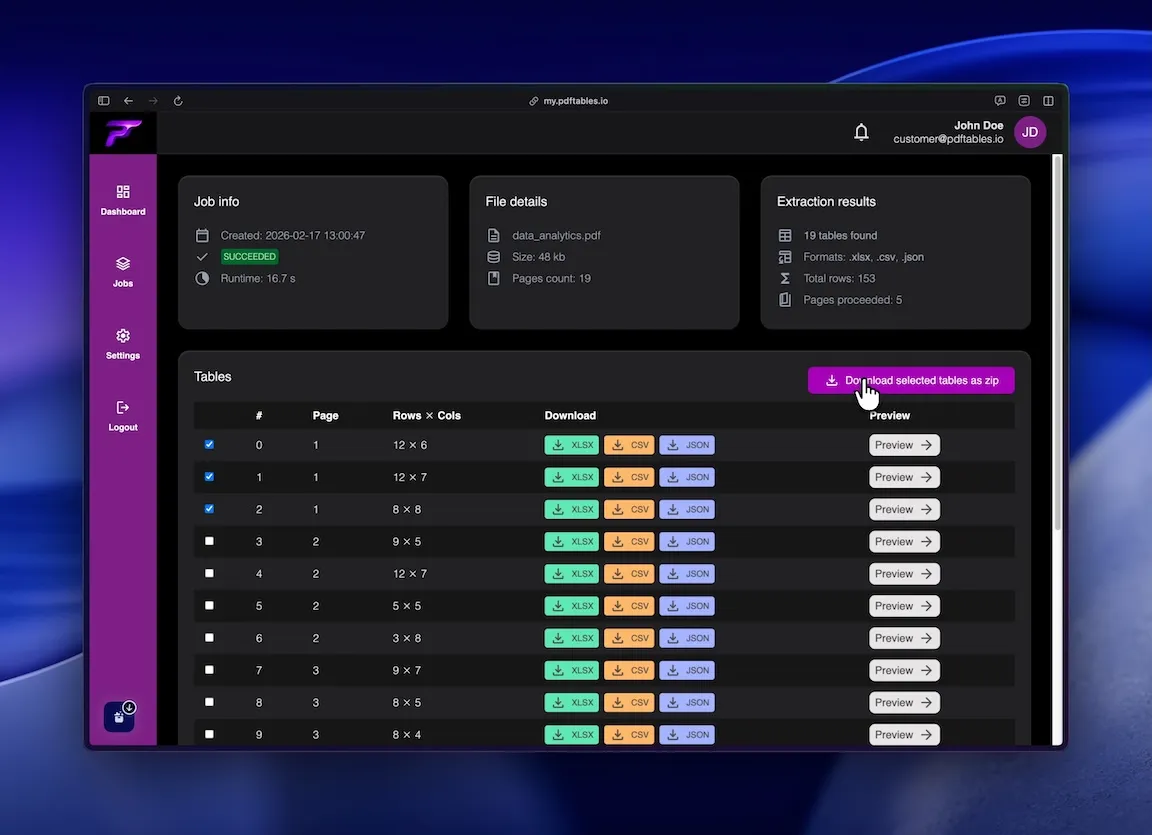
Or you can select all tables you whish and download a zip containing all files.
Tailored solutions for yout industry needs

Convert reporting tables from PDFs into clean datasets for monthly close and analysis.

Extract document-based tables faster while keeping records consistent for checks and reviews.

Capture supplier and operations data from PDF documents without manual copy/paste.

Feed standardized extraction outputs into dashboards, data models, and ETL jobs.

Embed table extraction with API endpoints to automate ingestion in your product stack.

Handle one-off client PDFs quickly and export directly into your preferred format.
Designed for easy usage combined with powerful performance

 Security & privacy: Files processed securely. Data retention configurable.
Start free. Upgrade when you need more.
$0 forever
High quality extractionOCR (for scanned documents)Data previewXLS, CSV and JSON download Up to 5 pages/monthUp to 10 MB per file
 No API accessNo encrypted files supported
$19.90 / month
or
$149 / year
High quality extractionOCR (for scanned documents)Data previewXLS, CSV and JSON downloadUp to 500 pages/monthUp to 50 MB per fileAPI access enabledNo encrypted files supported$89 / month
or
$999 / year
High quality extractionOCR (for scanned documents)Data previewXLS, CSV and JSON downloadUp to 5000 pages/monthUp to 500 MB per fileAPI access enabledEncrypted files supportedNeed more pages? Feature request? Contact us.
pdftables.io extracts tables from PDF documents and converts them into structured data formats like Excel, CSV, and JSON, eliminating manual copy-paste work.
Both digital PDFs and scanned documents are supported. For scanned files, OCR is automatically used to detect and extract table content.
The system is optimized for complex layouts, including multi-row headers, merged cells, and irregular table structures, ensuring highly structured outputs.
Yes. You can specify exact page ranges to extract tables only from relevant sections of a document.
Extracted data can be downloaded as XLSX, CSV, or JSON, making it easy to integrate into different workflows.
Yes. pdftables.io provides a REST API so you can automate extraction and integrate it directly into your applications or data pipelines.
Most jobs complete within seconds, depending on file size, number of pages, and table complexity.
Files are processed securely and stored only as long as needed for extraction and download, following standard data protection practices.
No installation is required. pdftables.io runs entirely in the browser as a cloud-based SaaS.
Yes. The platform is designed to handle both single documents and large-scale batch processing through the API.