
Page selection & control
Process only the pages you need and avoid noise.
No credit card required.

5 pages to analyze

Your document is being analysed. While you wait, you can enter your email address to ensure the results are assigned correctly.
A token is sent to your email address. Please enter this token below to verify your address.
Thank you! The extraction job is running.
View resultsStop manually adding, deleting and swapping rows and columns. Upload your bank statements, credit card bills, or invoices as PDF, create your own structure and export to exactly the format you need.
| Umsatz | Soll/Haben | BU-Schlüssel | Belegdatum | Konto |
|---|---|---|---|---|
| 1250,00 | S | 9 | 1503 | 8400 |
| 45,99 | H | 9 | 1603 | 4900 |
| 3200,50 | S | 8 | 1803 | 8300 |
| 89,70 | H | 9 | 2103 | 4930 |
| 560,00 | S | 9 | 2203 | 8400 |
| 149,99 | H | 9 | 2303 | 4950 |
| 980,25 | S | 8 | 2403 | 8300 |
| 72,10 | H | 9 | 2503 | 4925 |
| 430,00 | S | 9 | 2603 | 8400 |
| 215,60 | H | 9 | 2703 | 4980 |
| 1750,00 | S | 8 | 2803 | 8300 |
Convert tables from PDFs to Excel, CSV, JSON or DATEV in 3 easy steps
Drop your PDF into the extractor to start a job.
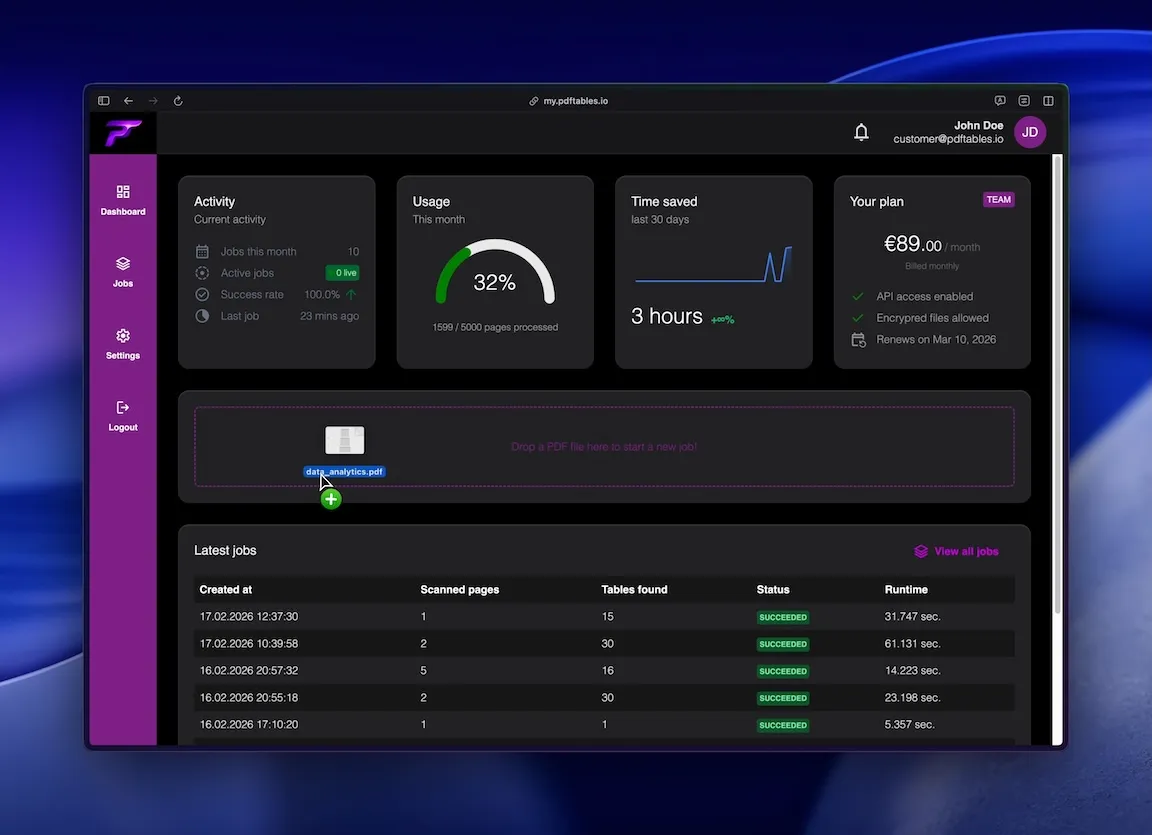
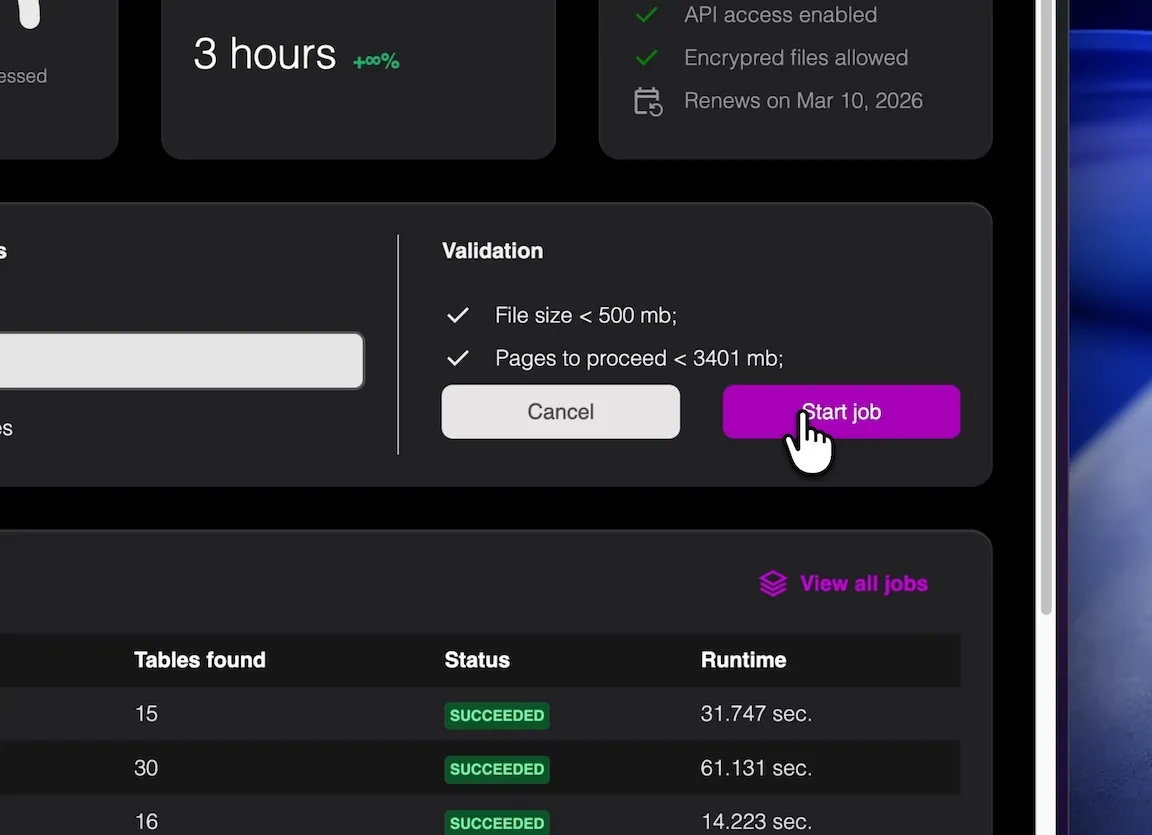
Choose the pages that contain tables to improve accuracy.
Export as XLSX, CSV, or JSON for your workflow.
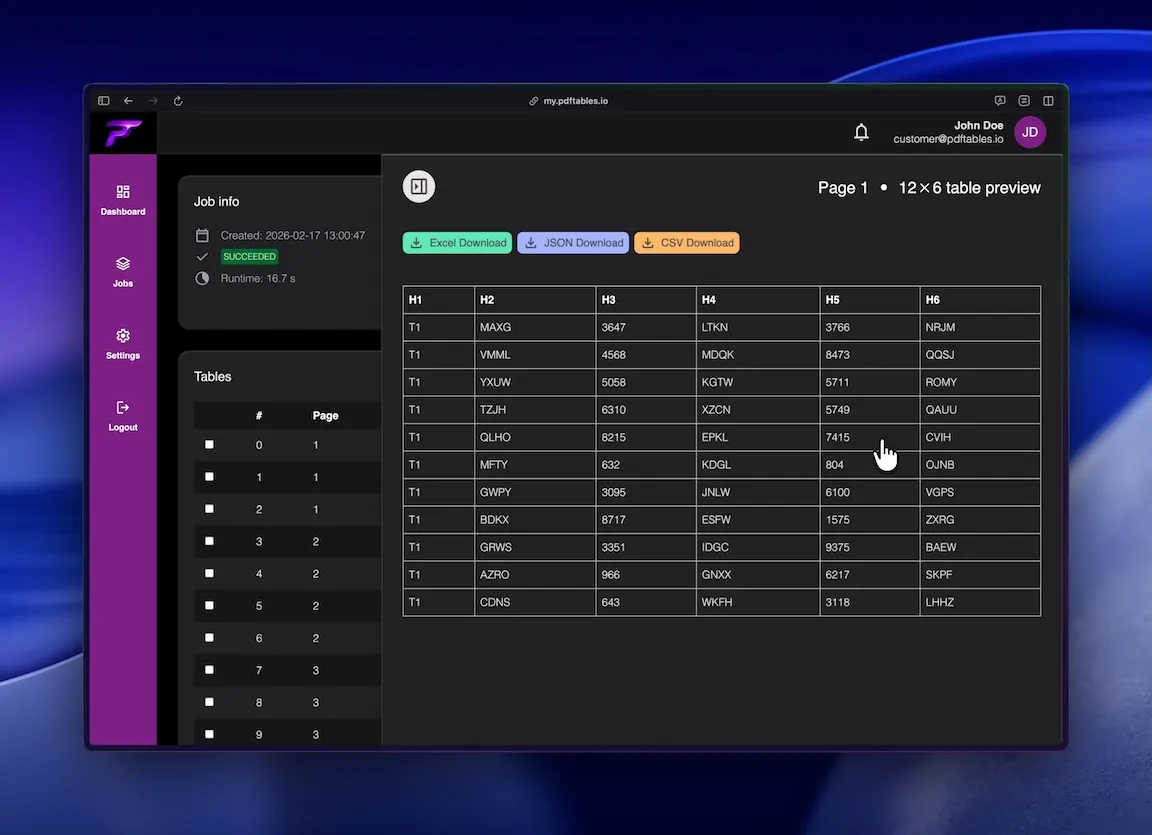
Convert reporting tables from PDFs into clean datasets for monthly close and analysis.
Feed standardized exports into dashboards, models, and ETL jobs.
Create consistent extracts for checks, evidence packages, and reruns.
Precise table extraction like enterprise software and easy to use as a simple tool.
Process only the pages you need and avoid noise.

Designed for tricky layouts, multi-row headers, and dense tables.

Get XLSX, CSV, and JSON outputs from one run.
This is all you need: Upload a file, receive a job_id, poll status, and download extracted tables in the format you
need.
POST /v1/uploadGET /v1/extraction/{job_id}GET /v1/download/{table_id}?format=xlsx|csv|json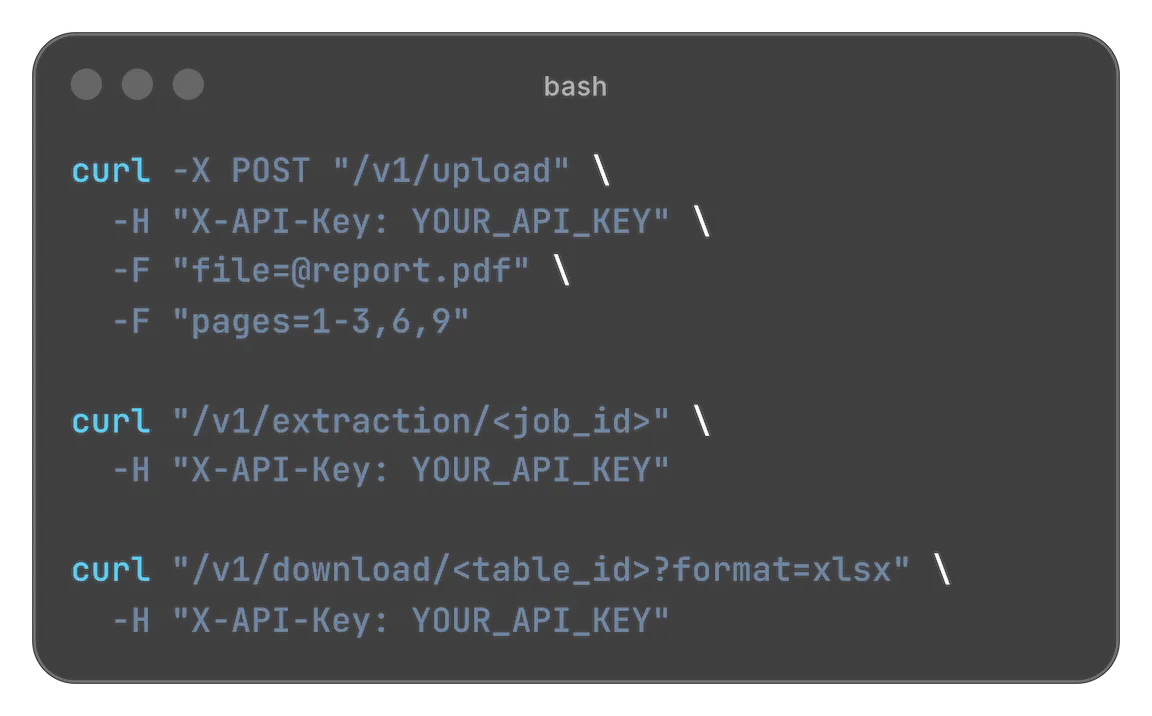
Designed for easy usage combined with powerful performance

 Security & privacy: Files processed securely. Data retention configurable.
Bank statements are often shared as PDFs, but finance teams need structured data in spreadsheets and systems. This page shows how to extract transaction tables reliably and export them as XLSX, CSV, or JSON for reconciliation, reporting, and automation.
Bank statements in PDF format look perfectly tabular to humans—columns line up, headers repeat, and totals appear in predictable places. But the PDF file format was designed first and foremost to preserve a fixed visual layout across devices. In many PDFs, text is positioned on the page rather than stored as a true table with rows, columns, and cell boundaries. That’s why “copy → paste into Excel” often turns into a cleanup project.
When Excel (or any converter) has to guess table structure from spacing and alignment, common failures follow: columns collapse, values merge into one cell, decimal numbers drift into neighboring columns, and header rows disappear or get mixed into the data. Multi-page bank statements add another layer of complexity: the same header may repeat on every page, while column alignment can shift slightly between pages—even if it looks consistent at first glance.
Many bank statements use multi-line column headers (for example, separate lines for “Amount” and “Currency,” or a label row plus a sub-label row). Some statements also visually merge cells to group information. These layouts read well on paper but are notoriously hard to reconstruct as clean spreadsheet columns without specialized table detection.
In multi-page PDFs, repeated headers are normal—but they can lead to duplicated rows in your export if they are not handled correctly. In addition, slight changes in spacing, fonts, or page scaling can cause the “same” column to move by a few pixels, which is enough to misplace values when a tool relies on geometry alone.
Statements often include footnotes, legal disclaimers, summary blocks, or rate information that isn’t part of the transaction table. If these pages are processed together with your tabular pages, the output can include noise—extra columns, broken rows, or unrelated text lines that disrupt downstream imports.
If your statement is a scan, the PDF may contain only images. In that case, OCR (optical character recognition) is required before data can be extracted. OCR adds a recognition step that can introduce its own errors (for example, confusing 0/O or 1/I), so validation becomes even more important.
Reliable extraction starts with controlling what gets processed. Upload your bank statement PDF and select the page range that actually contains the transaction table. By excluding summary pages and disclaimers, you reduce extraction noise and increase the likelihood of consistent columns.
pdftables.io is designed to handle complex layouts—including multi-row headers and irregular table structures—so your data stays structured instead of turning into free-form text. This is especially important for bank statements, where one wrong column can shift amounts or dates and break reconciliations.
Different consumers need different outputs. Download XLSX if you want to review and format in Excel. Choose CSV if you’re importing into accounting tools, BI systems, or databases. Use JSON if you’re building automated pipelines and want structured data that is easy to parse in code.
For recurring monthly close or audit workflows, you need reproducibility. Job-based tracking attaches status and metadata to each extraction run, helping you rerun the same process consistently and keep an audit-friendly trail of what was processed and when.
Start small: run a short page range first (for example, one or two pages), check that columns map correctly, and only then scale to more pages or more files. This prevents systematic errors from propagating across a full batch.
Validate what matters most: dates, descriptions, amounts, and balances. Spot-check a handful of rows from different pages (top, middle, end) to confirm that repeated headers weren’t mixed into data and that column alignment stayed stable.
Choose the lowest-friction handoff: if a human will inspect the results, XLSX is typically easiest. If a system will ingest the results, CSV or JSON will usually be more robust and simpler to standardize.
If you convert bank statements regularly, consider automation. An API-based workflow lets you upload a PDF, track the extraction job, and download outputs programmatically—ideal for finance ops, data teams, and SaaS integrations where repeatability and scale matter.
Ready to try it? Upload a statement, select the relevant pages, and export clean tables for Excel, CSV pipelines, or JSON-based integrations.
Start free. Upgrade when you need more.
$0 forever
High quality extractionOCR (for scanned documents)Data previewXLS, CSV and JSON download Up to 5 pages/month1 DATEV exports/monthUp to 10 MB per file
 No API accessNo encrypted files supported
$19.90 / month
or
$149 / year
High quality extractionOCR (for scanned documents)Data previewXLS, CSV and JSON downloadUp to 500 pages/monthUp to 100 DATEV exports/monthUp to 50 MB per fileAPI access enabledNo encrypted files supported$89 / month
or
$999 / year
High quality extractionOCR (for scanned documents)Data previewXLS, CSV and JSON downloadUp to 5000 pages/monthUp to 1000 DATEV exports/monthUp to 500 MB per fileAPI access enabledEncrypted files supportedNeed more pages? Feature request? Contact us.
No. pdftables.io runs in your browser, so you can upload and convert PDFs without local installation.
Yes. Every extraction job supports XLSX, CSV, and JSON, so you can choose the format that best fits your workflow.
Yes. You can select individual pages or page ranges to extract only relevant transaction tables.
Yes. OCR can be applied to scanned PDFs before table extraction. For best results, use clear scans and validate key columns like date and amount.
Yes. Job-based processing helps you repeat the same extraction flow each month and keep outputs consistent for close and audit checks.
Yes. You can review extracted rows in XLSX or CSV and quickly spot-check dates, amounts, and balances before downstream use.
Upload a PDF and export analysis-ready tables.