
Accurate table detection
Handles complex layouts, merged cells, and multi-line headers more reliably than copy-paste.
No credit card required.

5 pages to analyze

Your document is being analysed. While you wait, you can enter your email address to ensure the results are assigned correctly.
A token is sent to your email address. Please enter this token below to verify your address.
Thank you! The extraction job is running.
View resultsStop manually adding, deleting and swapping rows and columns. Upload your bank statements, credit card bills, or invoices as PDF, create your own structure and export to exactly the format you need.
| Umsatz | Soll/Haben | BU-Schlüssel | Belegdatum | Konto |
|---|---|---|---|---|
| 1250,00 | S | 9 | 1503 | 8400 |
| 45,99 | H | 9 | 1603 | 4900 |
| 3200,50 | S | 8 | 1803 | 8300 |
| 89,70 | H | 9 | 2103 | 4930 |
| 560,00 | S | 9 | 2203 | 8400 |
| 149,99 | H | 9 | 2303 | 4950 |
| 980,25 | S | 8 | 2403 | 8300 |
| 72,10 | H | 9 | 2503 | 4925 |
| 430,00 | S | 9 | 2603 | 8400 |
| 215,60 | H | 9 | 2703 | 4980 |
| 1750,00 | S | 8 | 2803 | 8300 |
Convert tables from PDFs to Excel, CSV, JSON or DATEV in 3 easy steps
Drop in one or multiple PDF files.
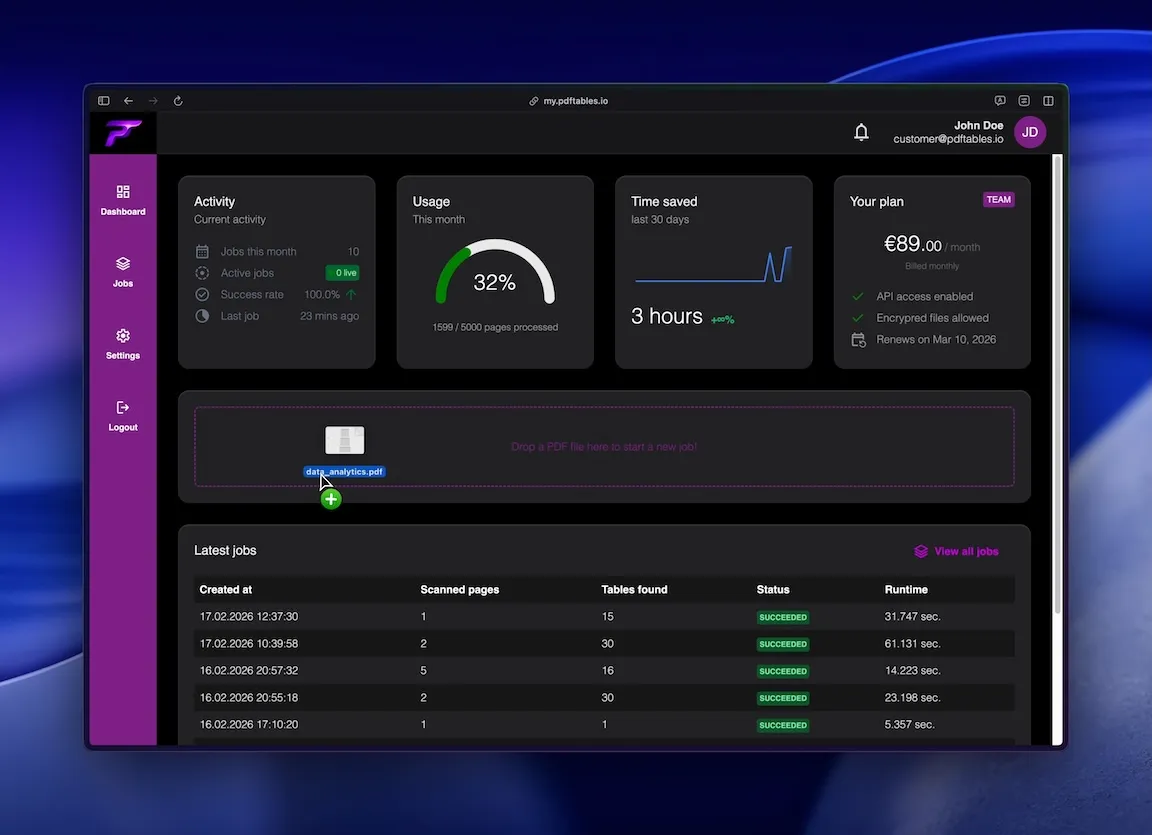
Our engine detects table structures and converts them into structured data.
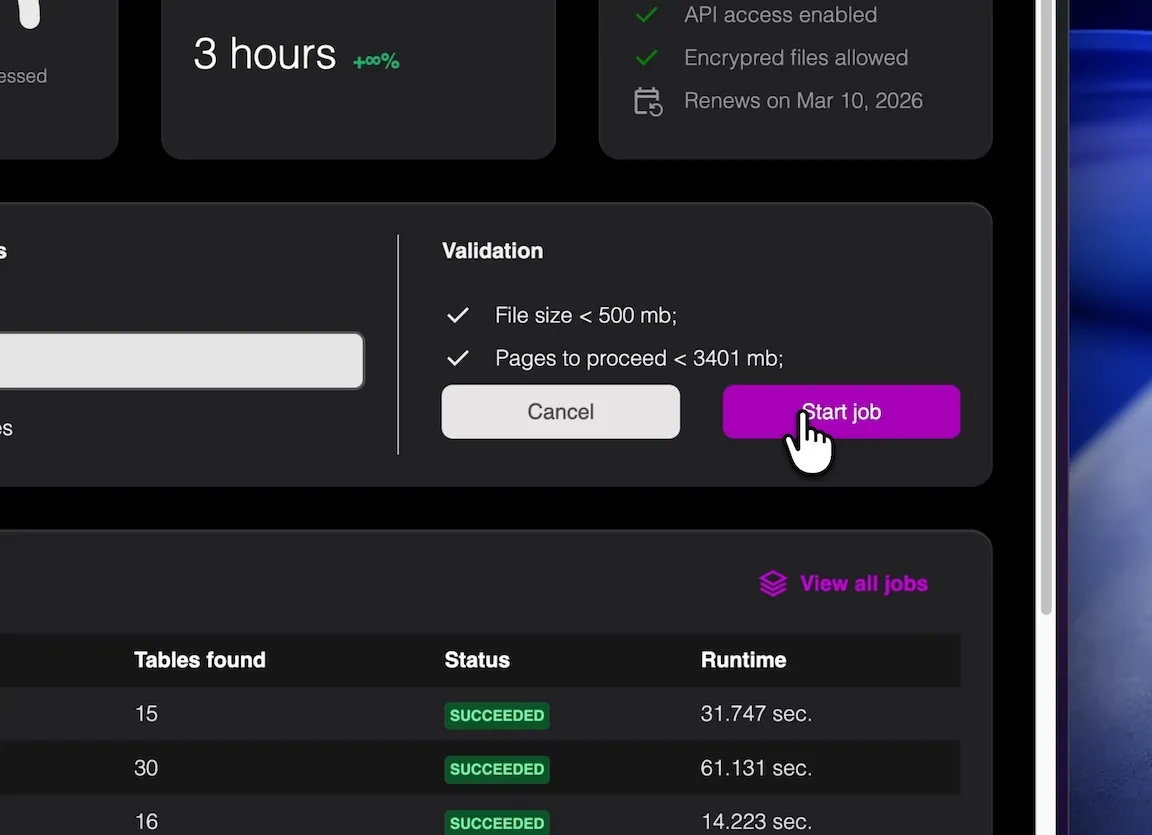
Export clean XLSX output ready for analysis or import.
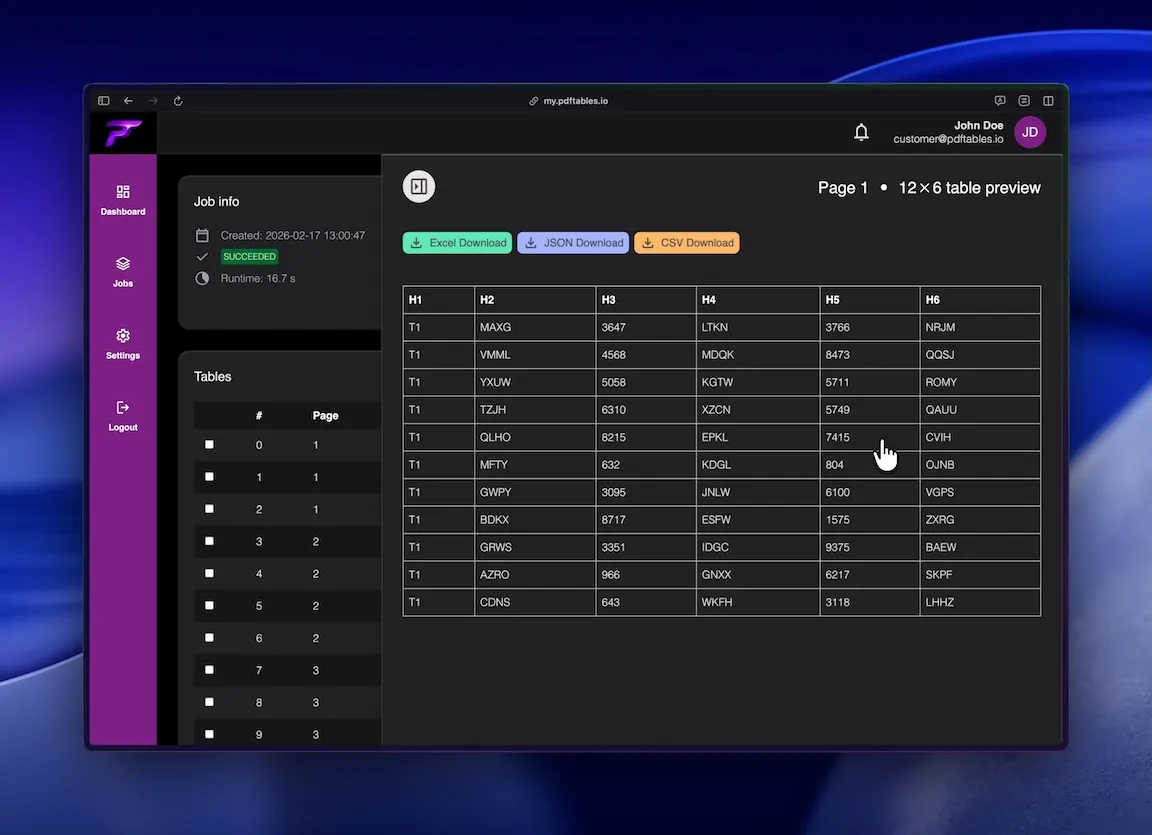
Convert invoice and statement tables into Excel for reconciliation and monthly close.
Extract line-item data from PDF reports for tracking and KPI dashboards.
Transform static PDF tables into structured spreadsheets for deeper analysis.
Precise table extraction like enterprise software and easy to use as a simple tool.
Handles complex layouts, merged cells, and multi-line headers more reliably than copy-paste.

Download converted data as XLSX, CSV, or JSON depending on your workflow.

Extract table content even when the source is a scanned document.
This is all you need: Upload a file, receive a job_id, poll status, and download extracted tables in the format you
need.
POST /v1/uploadGET /v1/extraction/{job_id}GET /v1/download/{table_id}?format=xlsx|csv|json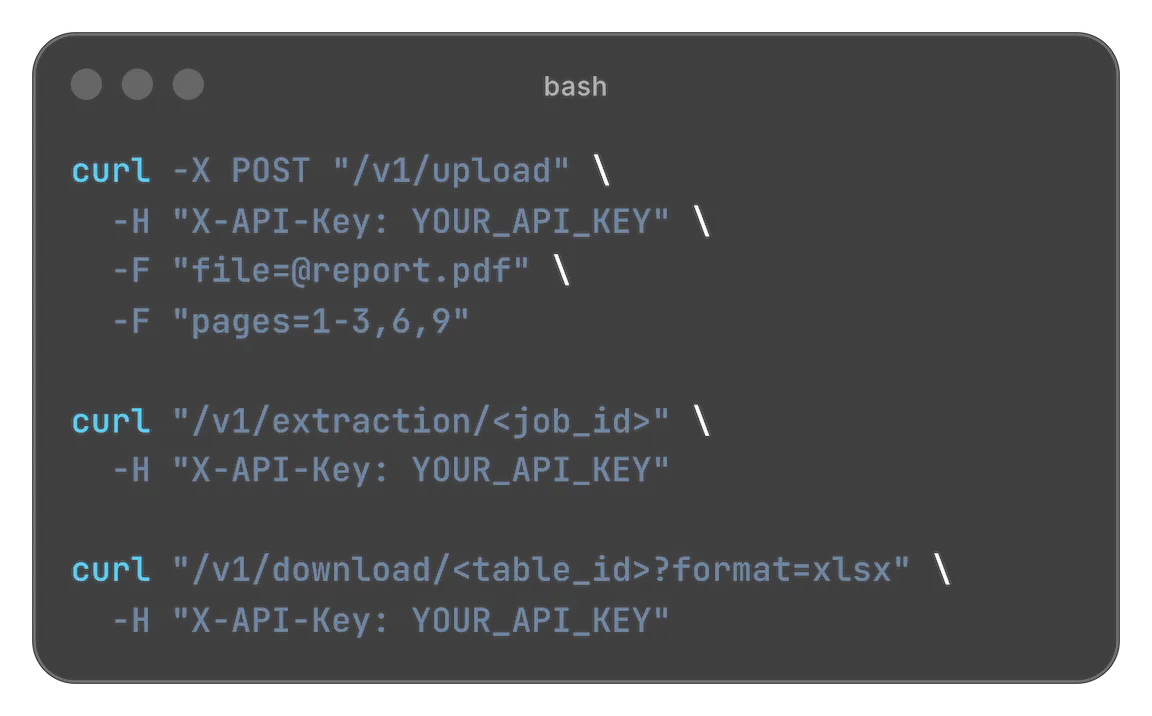
Designed for easy usage combined with powerful performance

 Security & privacy: Files processed securely. Data retention configurable.
The keyword 'pdf to excel' remains one of the most searched data-conversion intents because PDFs are everywhere in business workflows. Invoices, statements, and reports are often shared as PDFs, but teams need that data in spreadsheets for analysis, reconciliation, and imports. pdftables.io helps you convert PDF tables into clean, editable Excel output quickly and with high accuracy.
Even today, many teams still rely on copy-paste from PDFs into spreadsheets. This creates recurring problems: broken columns, merged cells turning into unreadable text blocks, and numeric values shifted into the wrong fields.
When documents arrive in volume, this manual cleanup becomes expensive. Staff spend hours restructuring data before they can start real work such as checking variances or preparing reports.
For finance and operations workflows, these delays matter. Every extra manual step increases cycle time and raises the risk of errors in downstream analysis.
A reliable PDF-to-Excel process removes this friction by extracting tables in a consistent, machine-readable format from the start.
A useful converter should do more than export text. It should preserve table structure, keep headers and values aligned, and maintain numeric integrity so totals still match after conversion.
It should also support diverse document types: invoices, bank statements, purchasing reports, shipping manifests, and internal summaries.
Because not all PDFs are digitally generated, OCR support is essential for scanned files. This allows teams to recover structured data from paper-origin documents as well.
Finally, export flexibility matters. Some workflows need XLSX for analysts, while others require CSV or JSON for system imports.
Accounting teams use PDF to Excel conversion to extract invoice line items, payment records, and statement transactions.
Operations teams convert supplier and logistics PDFs into spreadsheets to monitor costs, lead times, and service levels.
Sales and management teams extract performance tables from PDF reports to combine with other sources in one workbook.
In all these cases, the goal is the same: turn static documents into usable structured data without manual retyping.
Start by uploading your PDF file. The system detects table boundaries and identifies rows, columns, and headers.
Next, the extracted table is normalized so values are consistently separated into the correct fields.
Then download the result as XLSX, CSV, or JSON. You can open it directly in Excel or pass it into your existing data pipeline.
This workflow helps teams move from document receipt to analysis-ready data in minutes instead of hours.
When PDF conversion is reliable, teams can standardize recurring tasks such as monthly reporting, reconciliation, and supplier data intake.
Instead of treating each new PDF as an individual cleanup project, you process documents through the same extraction pipeline every time.
That consistency improves speed, data quality, and collaboration across finance, operations, and analytics.
If 'pdf to excel' is part of your daily workflow, automation is one of the fastest ways to reclaim time and improve accuracy.
Start free. Upgrade when you need more.
$0 forever
High quality extractionOCR (for scanned documents)Data previewXLS, CSV and JSON download Up to 5 pages/month1 DATEV exports/monthUp to 10 MB per file
 No API accessNo encrypted files supported
$19.90 / month
or
$149 / year
High quality extractionOCR (for scanned documents)Data previewXLS, CSV and JSON downloadUp to 500 pages/monthUp to 100 DATEV exports/monthUp to 50 MB per fileAPI access enabledNo encrypted files supported$89 / month
or
$999 / year
High quality extractionOCR (for scanned documents)Data previewXLS, CSV and JSON downloadUp to 5000 pages/monthUp to 1000 DATEV exports/monthUp to 500 MB per fileAPI access enabledEncrypted files supportedNeed more pages? Feature request? Contact us.
Accuracy depends on document quality and layout complexity, but pdftables.io is optimized for table extraction and preserves structure far better than manual copy-paste in most business PDFs.
Yes. OCR support enables extraction from scanned PDFs so you can still get structured table output.
Yes. You can export as XLSX, CSV, or JSON depending on your workflow.
Yes. These are among the most common document types converted with pdftables.io.
Yes. It's well suited for recurring reporting and bookkeeping workflows where similar PDFs arrive each month.
No. Conversion runs online, so you can upload a PDF and download structured output directly.
Upload a PDF and extract clean Excel tables in minutes.