
Accurate table extraction
Handles multi-line headers, dense layouts, and multi-page financial tables.
No credit card required.

5 pages to analyze

Your document is being analysed. While you wait, you can enter your email address to ensure the results are assigned correctly.
A token is sent to your email address. Please enter this token below to verify your address.
Thank you! The extraction job is running.
View resultsStop manually adding, deleting and swapping rows and columns. Upload your bank statements, credit card bills, or invoices as PDF, create your own structure and export to exactly the format you need.
| Umsatz | Soll/Haben | BU-Schlüssel | Belegdatum | Konto |
|---|---|---|---|---|
| 1250,00 | S | 9 | 1503 | 8400 |
| 45,99 | H | 9 | 1603 | 4900 |
| 3200,50 | S | 8 | 1803 | 8300 |
| 89,70 | H | 9 | 2103 | 4930 |
| 560,00 | S | 9 | 2203 | 8400 |
| 149,99 | H | 9 | 2303 | 4950 |
| 980,25 | S | 8 | 2403 | 8300 |
| 72,10 | H | 9 | 2503 | 4925 |
| 430,00 | S | 9 | 2603 | 8400 |
| 215,60 | H | 9 | 2703 | 4980 |
| 1750,00 | S | 8 | 2803 | 8300 |
Convert tables from PDFs to Excel, CSV, JSON or DATEV in 3 easy steps
Upload supplier invoices, bank statements, or finance reports in PDF format.
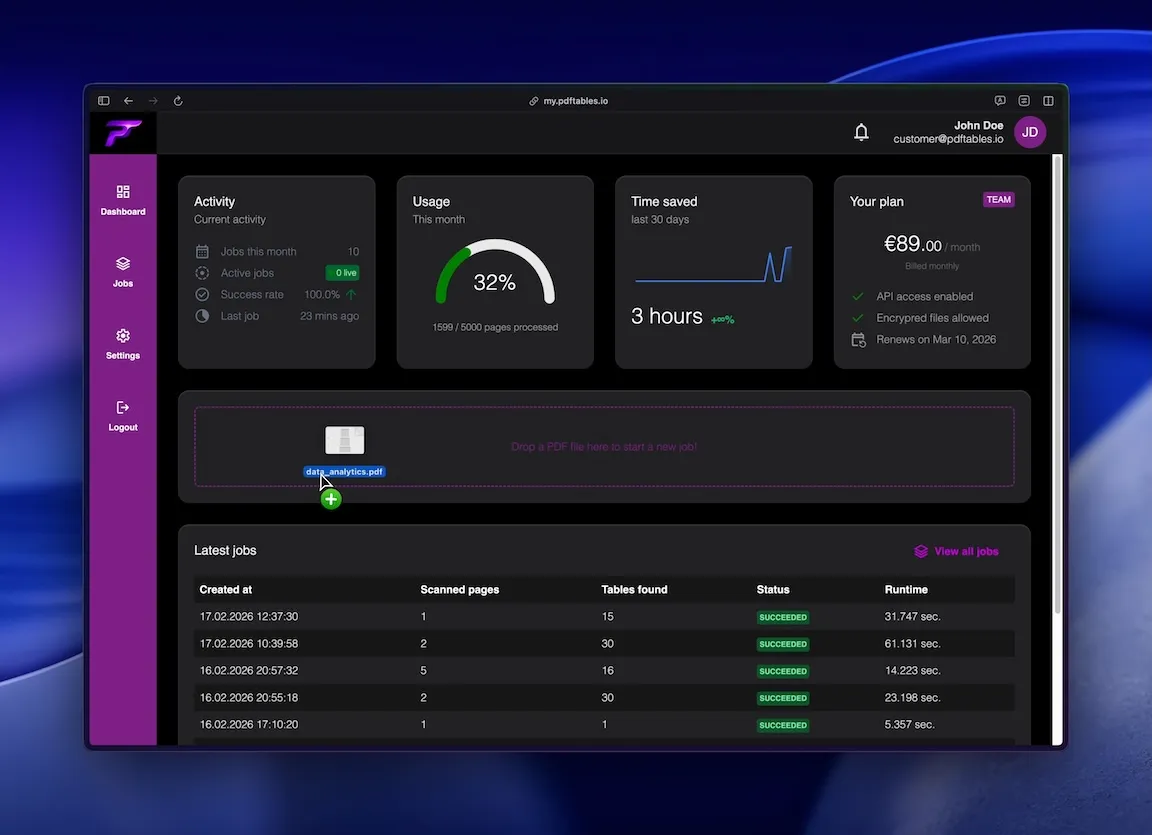
pdftables.io detects tabular structures and converts rows into clean datasets.
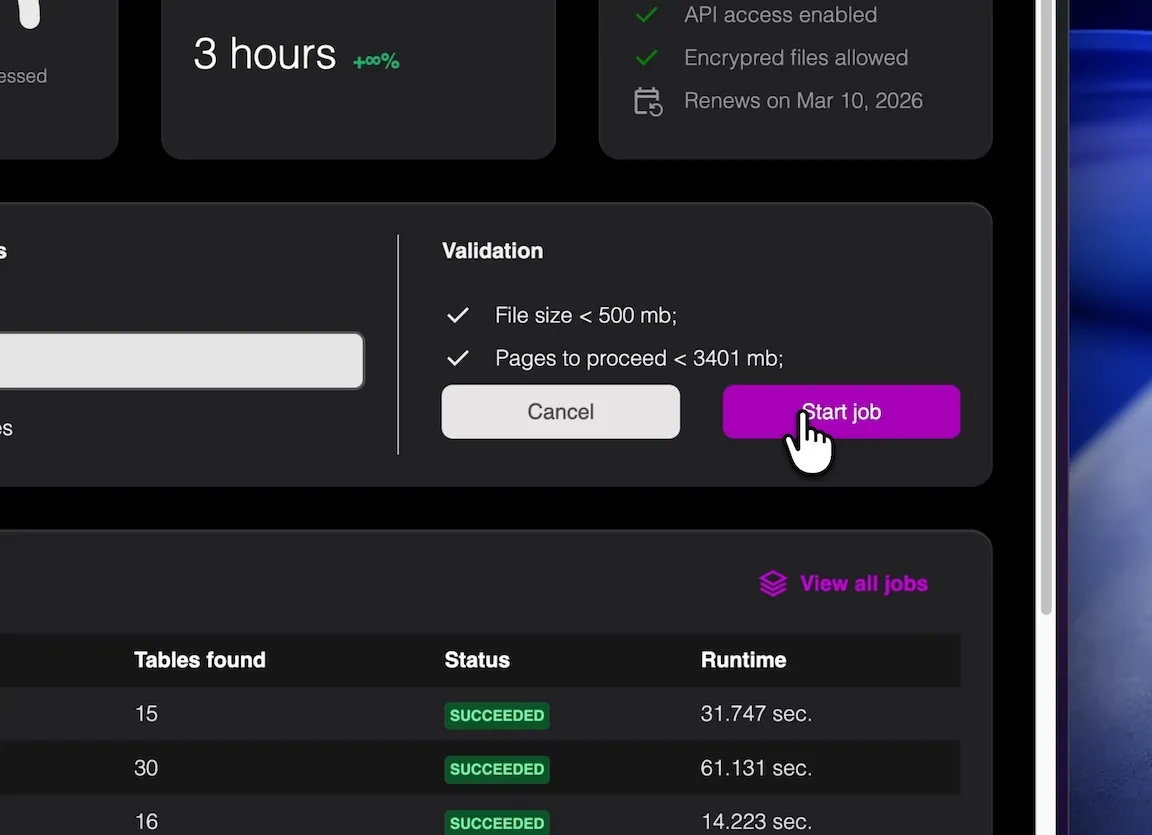
Download CSV, XLSX, or JSON and continue your Sage workflow with structured input data.
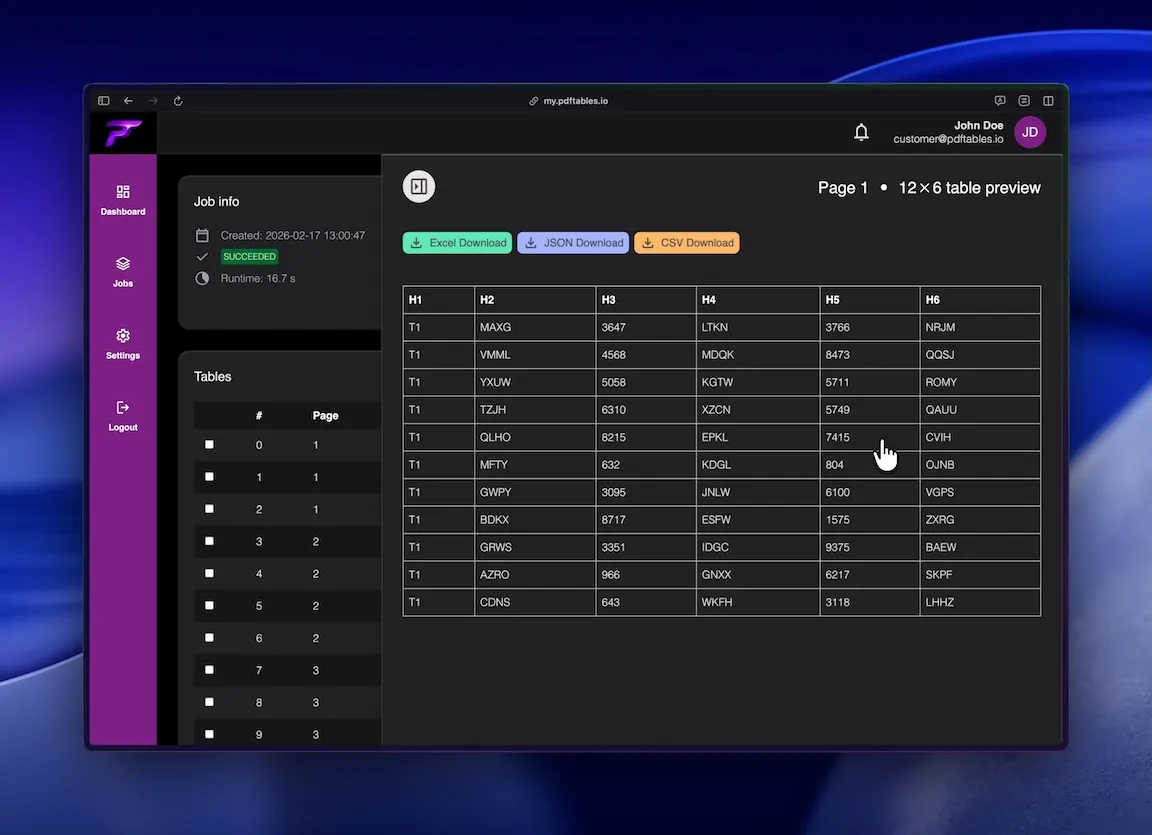
Prepare recurring PDF accounting data before import into Sage.
Reduce manual copy-paste from invoices and statement PDFs.
Standardize extraction for monthly close and reporting operations.
Precise table extraction like enterprise software and easy to use as a simple tool.
Handles multi-line headers, dense layouts, and multi-page financial tables.

Extract only relevant pages to avoid summary and non-tabular noise.

Use CSV for import prep, XLSX for QA, or JSON for automation pipelines.
This is all you need: Upload a file, receive a job_id, poll status, and download extracted tables in the format you
need.
POST /v1/uploadGET /v1/extraction/{job_id}GET /v1/download/{table_id}?format=xlsx|csv|json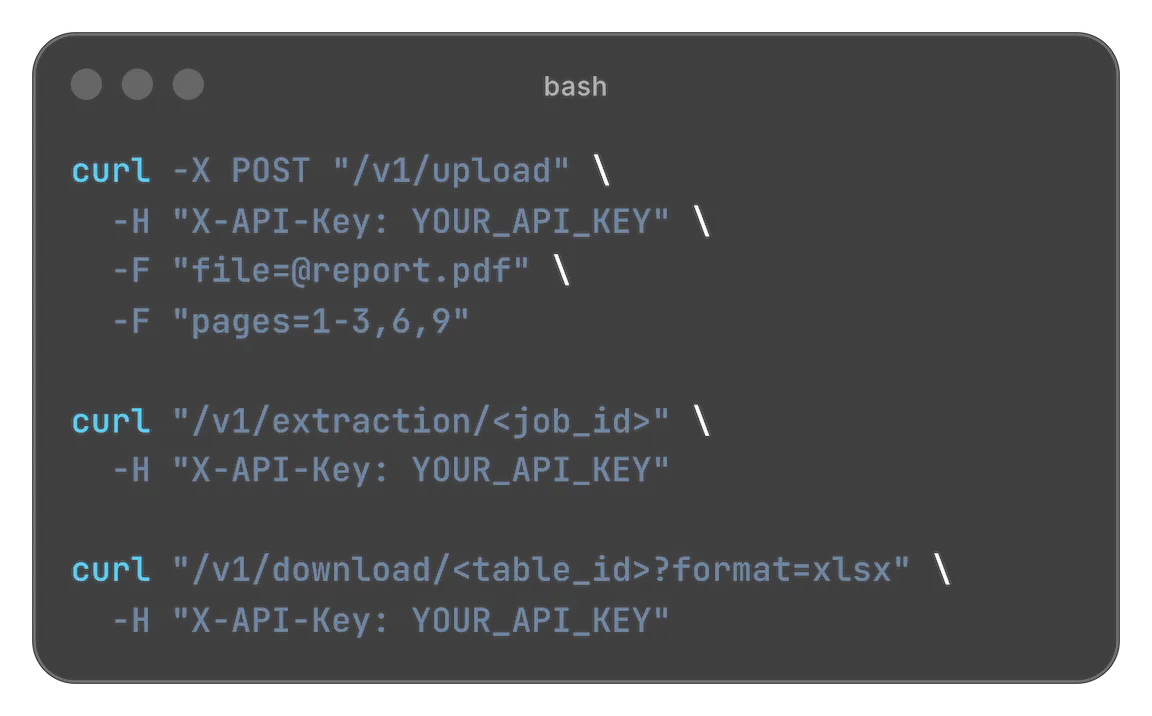
Designed for easy usage combined with powerful performance

 Security & privacy: Files processed securely. Data retention configurable.
Many teams working with Sage still receive key source data as PDFs. Invoices, statement summaries, and payout reports contain the right figures, but not in a format that is easy to import. pdftables.io helps extract those tables into clean datasets for faster validation and posting.
PDF files are designed for fixed visual layout, not structured data exchange. Table-like content is often stored as positioned text rather than true cells.
This leads to common copy-paste failures: shifted columns, merged values, repeated headers, and inconsistent output across pages.
Without structured extraction, teams spend significant time cleaning data before it can be used in Sage workflows.
Typical sources include supplier invoice summaries, bank and card statement tables, marketplace payout reports, and monthly exports from legacy systems.
Because these files recur frequently, manual transfer adds repeated operational overhead and error risk.
A repeatable extraction workflow turns recurring PDF inputs into consistent accounting datasets.
Upload your PDF and process only the pages containing relevant tables. Excluding non-tabular pages improves extraction quality.
The extractor keeps date, amount, tax, and description fields in separate columns for easier mapping and checks.
Export as CSV for imports, XLSX for manual review, or JSON for API-based automation.
Spot-check rows from first, middle, and last pages to confirm stable column alignment.
Filter repeated headers and subtotal lines where needed.
For scanned PDFs, use OCR and verify critical numeric fields before final import.
If you process similar document sets each month, API extraction can eliminate repetitive upload and download work.
Automation improves consistency across teams and makes recurring bookkeeping workflows easier to scale.
This is especially useful for accounting services and growing finance operations.
Start free. Upgrade when you need more.
$0 forever
High quality extractionOCR (for scanned documents)Data previewXLS, CSV and JSON download Up to 5 pages/month1 DATEV exports/monthUp to 10 MB per file
 No API accessNo encrypted files supported
$19.90 / month
or
$149 / year
High quality extractionOCR (for scanned documents)Data previewXLS, CSV and JSON downloadUp to 500 pages/monthUp to 100 DATEV exports/monthUp to 50 MB per fileAPI access enabledNo encrypted files supported$89 / month
or
$999 / year
High quality extractionOCR (for scanned documents)Data previewXLS, CSV and JSON downloadUp to 5000 pages/monthUp to 1000 DATEV exports/monthUp to 500 MB per fileAPI access enabledEncrypted files supportedNeed more pages? Feature request? Contact us.
Yes. You can extract multi-page tables and select exact page ranges for better control.
CSV is typically the best starting point for import workflows, while XLSX is useful for manual QA.
Yes, with OCR. For scanned files, validate key fields like date and amount before import.
Yes. API extraction supports repeatable workflows for recurring accounting document batches.
In most cases yes. pdftables.io outputs clean structured columns, which makes Sage mapping and validation much quicker.
Upload a PDF and export clean accounting tables now.