
Encrypted Storage
All files and extracted data are stored securely encrypted.
Extract accounting tables from PDF and export structured data for faster Xero import and bookkeeping workflows.
Your documents contain sensitive information. We ensure it stays private and secure from upload to deletion.
All files and extracted data are stored securely encrypted.
No one can read your files or extracted data, even in the event of a data leak.
Encryption mechanisms are post-quantum safe to ensure future-proof protection.
Learn more about our next generation security →PDF files are automatically deleted after 30 days (configurable for Pro/Team users).
Files are securely stored in Amazon S3 for industry-leading durability.

Stop manually adding, deleting and swapping rows and columns. Upload your bank statements, credit card bills, or invoices as PDF, create your own structure and export to exactly the format you need.
| Umsatz | Soll/Haben | BU-Schlüssel | Belegdatum | Konto |
|---|---|---|---|---|
| 1250,00 | S | 9 | 1503 | 8400 |
| 45,99 | H | 9 | 1603 | 4900 |
| 3200,50 | S | 8 | 1803 | 8300 |
| 89,70 | H | 9 | 2103 | 4930 |
| 560,00 | S | 9 | 2203 | 8400 |
| 149,99 | H | 9 | 2303 | 4950 |
| 980,25 | S | 8 | 2403 | 8300 |
| 72,10 | H | 9 | 2503 | 4925 |
| 430,00 | S | 9 | 2603 | 8400 |
| 215,60 | H | 9 | 2703 | 4980 |
| 1750,00 | S | 8 | 2803 | 8300 |
Convert tables from PDFs to Excel, CSV, JSON or DATEV in 3 easy steps
Upload supplier invoices, bank statements, or accounting reports as PDF files.
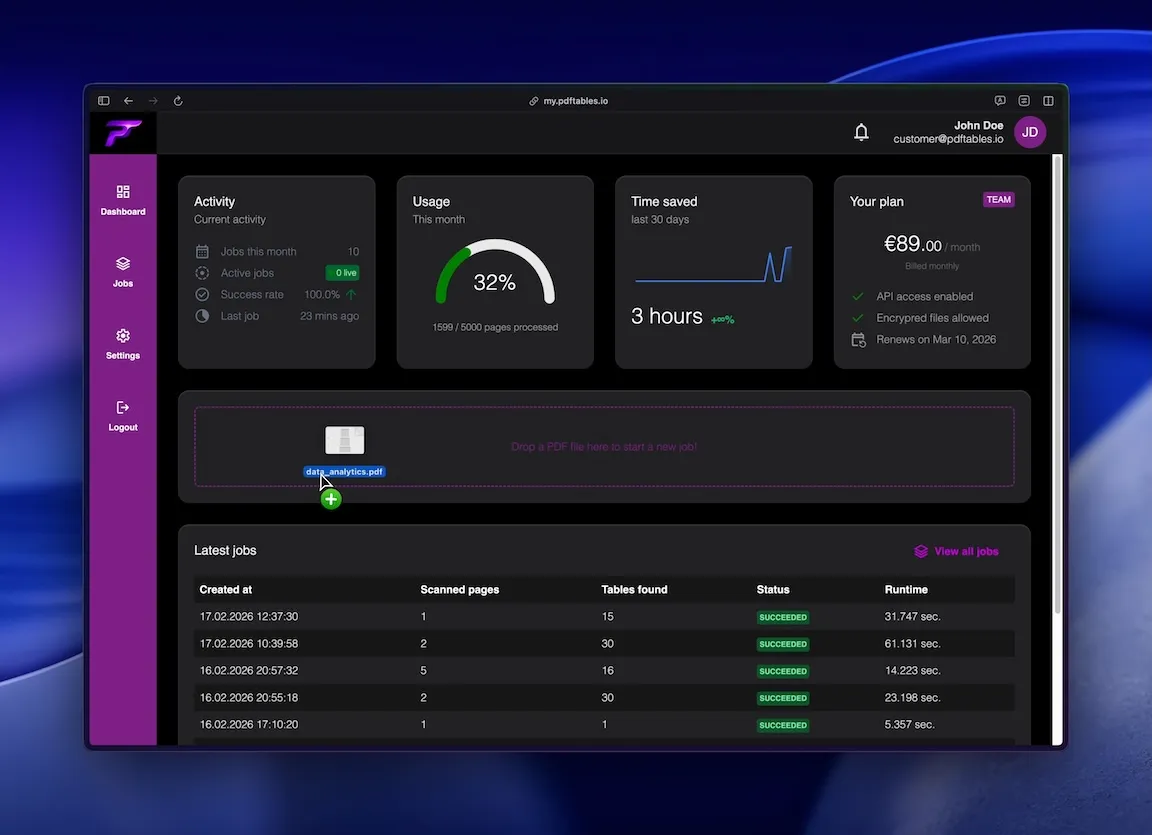
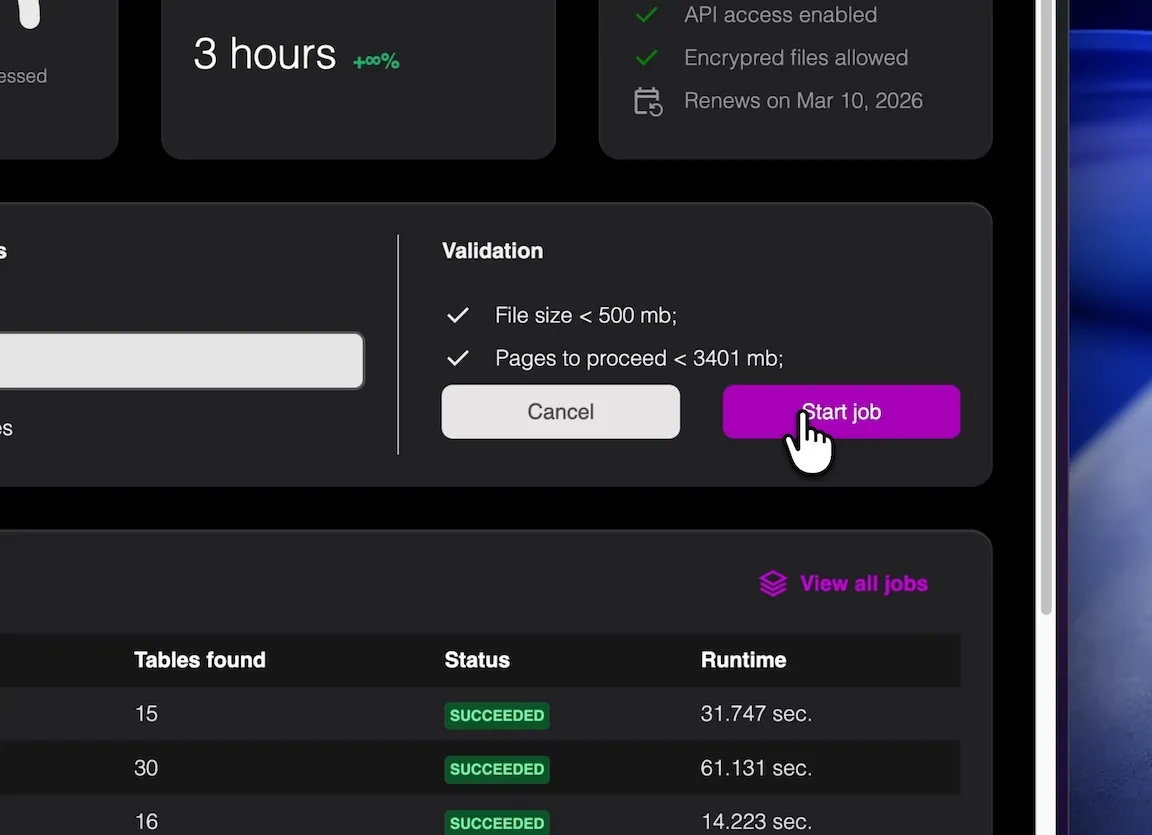
pdftables.io identifies rows and columns and creates structured output.
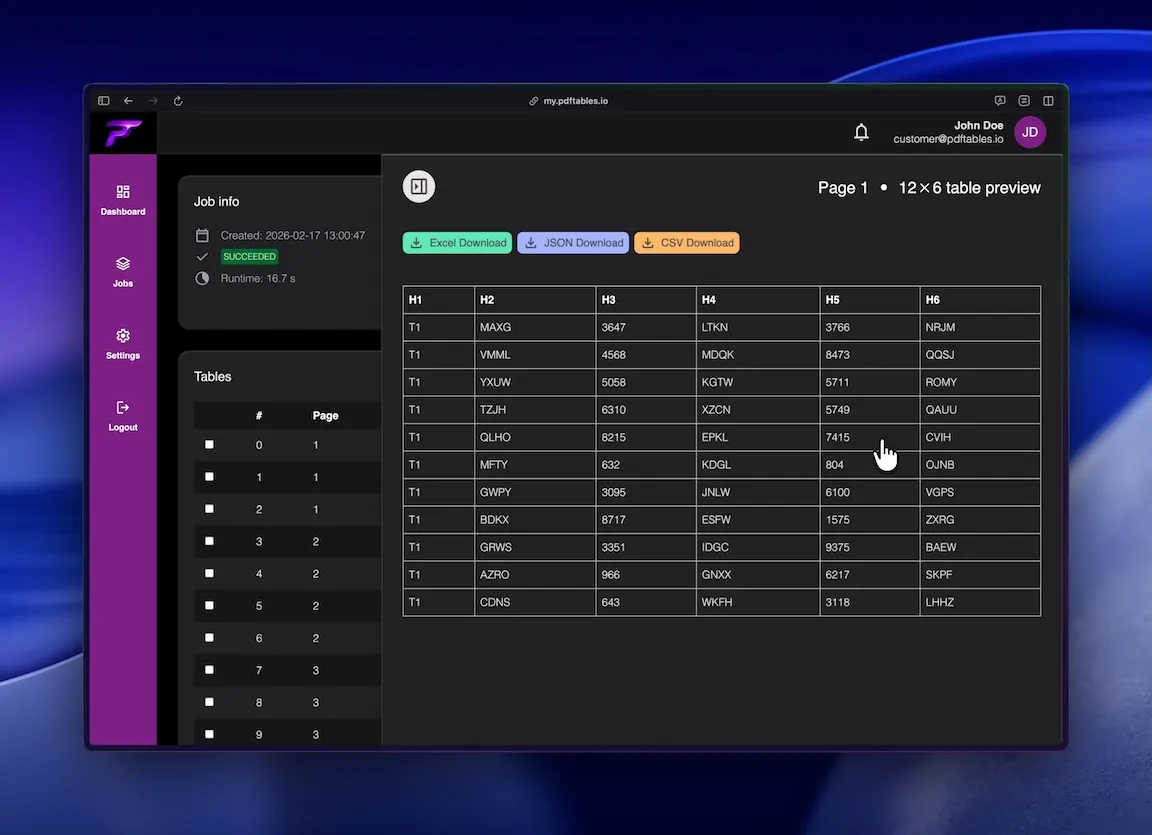
Download CSV, XLSX, or JSON and continue your Xero import workflow.
Prepare clean data from recurring PDF documents before posting to Xero.
Reduce manual copy-paste from invoice and statement PDFs.
Standardize month-end extraction from PDF reporting packs.
Precise table extraction like enterprise software and easy to use as a simple tool.

Handles dense tables, multi-line headers, and multi-page documents.

Process only relevant table pages and skip non-tabular sections.

Use CSV for import prep, XLSX for QA, or JSON for automation pipelines.
This is all you need: Upload a file, receive a job_id, poll status, and download extracted tables in the format you
need.
POST /v1/uploadGET /v1/extraction/{job_id}GET /v1/download/{table_id}?format=xlsx|csv|json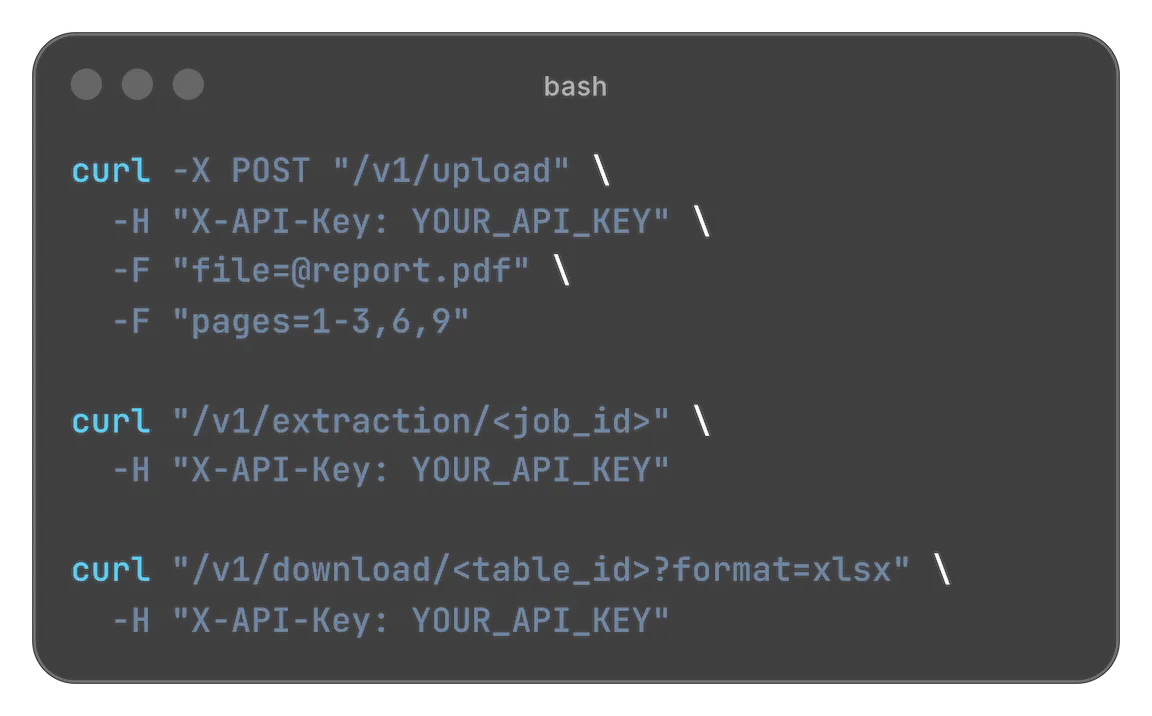
Designed for easy usage combined with powerful performance

 Security & privacy: Files processed securely. Data retention configurable.
Many Xero users still receive source data in PDF format. Supplier invoice lists, statement summaries, and payout reports contain the right data but not in a structure that is easy to import. pdftables.io helps extract those tables into clean datasets for faster accounting operations.
PDF files are optimized for visual layout, not data exchange. Table-like content is often stored as positioned text instead of true cells.
This leads to common copy-paste issues such as shifted columns, merged values, and repeated headers in multi-page files.
Before data can be used in Xero-related workflows, teams often need manual cleanup and verification.
Typical sources include supplier invoice overviews, bank statement tables, card statements, and monthly reporting exports from legacy systems.
These documents are usually recurring, so manual handling creates repeated operational overhead.
A structured extraction workflow converts recurring PDF inputs into consistent datasets.
Upload your PDF and select only the relevant pages. Excluding non-tabular pages helps improve extraction quality.
The extractor separates key fields like date, amount, tax, and description into stable columns for easier mapping and validation.
Download CSV for import preparation, XLSX for checks, or JSON for API-based workflows.
Spot-check rows across beginning, middle, and end pages to verify consistent column alignment.
Filter repeated page headers and subtotal rows if they appear in long statements.
For scanned PDFs, use OCR and validate key numeric fields before final posting.
If you process similar files each month, API extraction can reduce repetitive upload and download steps.
Automated jobs improve consistency and make recurring bookkeeping workflows easier to scale.
This is useful for accounting teams, outsourced bookkeeping providers, and growing businesses.

Start free. Upgrade when you need more.
$0 forever
High quality extractionOCR (for scanned documents)Data previewXLS, CSV and JSON download Up to 5 pages/monthUp to 10 MB per fileBasic ticket support
 No API accessNo encrypted files supported
$19.90 / month
or
$149 / year
High quality extractionOCR (for scanned documents)Data previewXLS, CSV and JSON downloadUp to 500 pages/monthUp to 50 MB per filePriority ticket supportAPI access enabledNo encrypted files supported$89 / month
or
$999 / year
High quality extractionOCR (for scanned documents)Data previewXLS, CSV and JSON downloadUp to 5000 pages/monthUp to 500 MB per filePriority ticket and phone supportAPI access enabledEncrypted files supportedNeed more pages? Feature request? Contact us.
Yes. You can select exact page ranges and extract multi-page tables with consistent output.
CSV is usually best for Xero import preparation, while XLSX is helpful for manual QA and sign-off.
Yes, with OCR. For scanned files, validate key fields like dates, totals, and tax amounts before import.
In most workflows, yes. pdftables.io delivers clean structured columns so mapping in your Xero import step is faster and less error-prone.
Yes. API workflows support repeatable extraction for recurring accounting document batches.
Upload a PDF and export clean accounting tables now.