
Table-accurate extraction
Maintains column alignment and reduces broken copy-paste output from PDFs.
No credit card required.

5 pages to analyze

Your document is being analysed. While you wait, you can enter your email address to ensure the results are assigned correctly.
A token is sent to your email address. Please enter this token below to verify your address.
Thank you! The extraction job is running.
View resultsStop manually adding, deleting and swapping rows and columns. Upload your bank statements, credit card bills, or invoices as PDF, create your own structure and export to exactly the format you need.
| Umsatz | Soll/Haben | BU-Schlüssel | Belegdatum | Konto |
|---|---|---|---|---|
| 1250,00 | S | 9 | 1503 | 8400 |
| 45,99 | H | 9 | 1603 | 4900 |
| 3200,50 | S | 8 | 1803 | 8300 |
| 89,70 | H | 9 | 2103 | 4930 |
| 560,00 | S | 9 | 2203 | 8400 |
| 149,99 | H | 9 | 2303 | 4950 |
| 980,25 | S | 8 | 2403 | 8300 |
| 72,10 | H | 9 | 2503 | 4925 |
| 430,00 | S | 9 | 2603 | 8400 |
| 215,60 | H | 9 | 2703 | 4980 |
| 1750,00 | S | 8 | 2803 | 8300 |
Convert tables from PDFs to Excel, CSV, JSON or DATEV in 3 easy steps
Upload the PDF containing the tables you need.
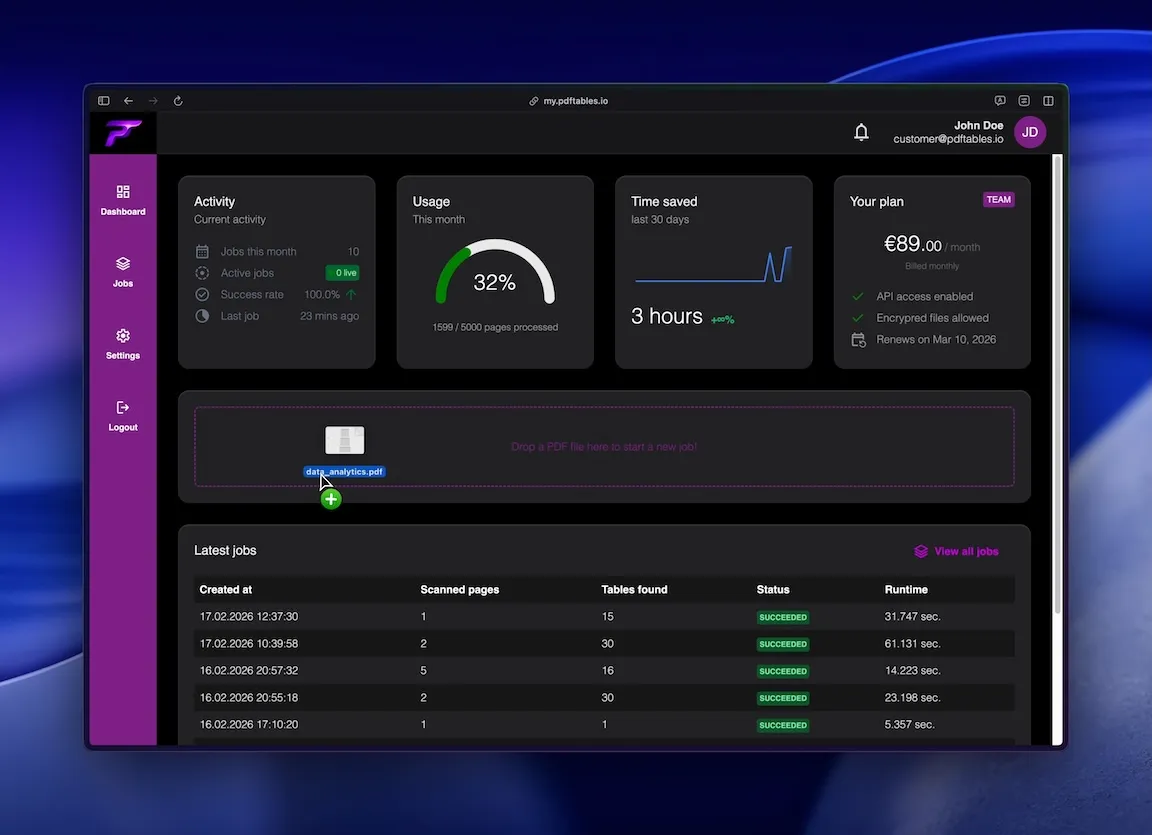
We detect and structure table rows and columns automatically.
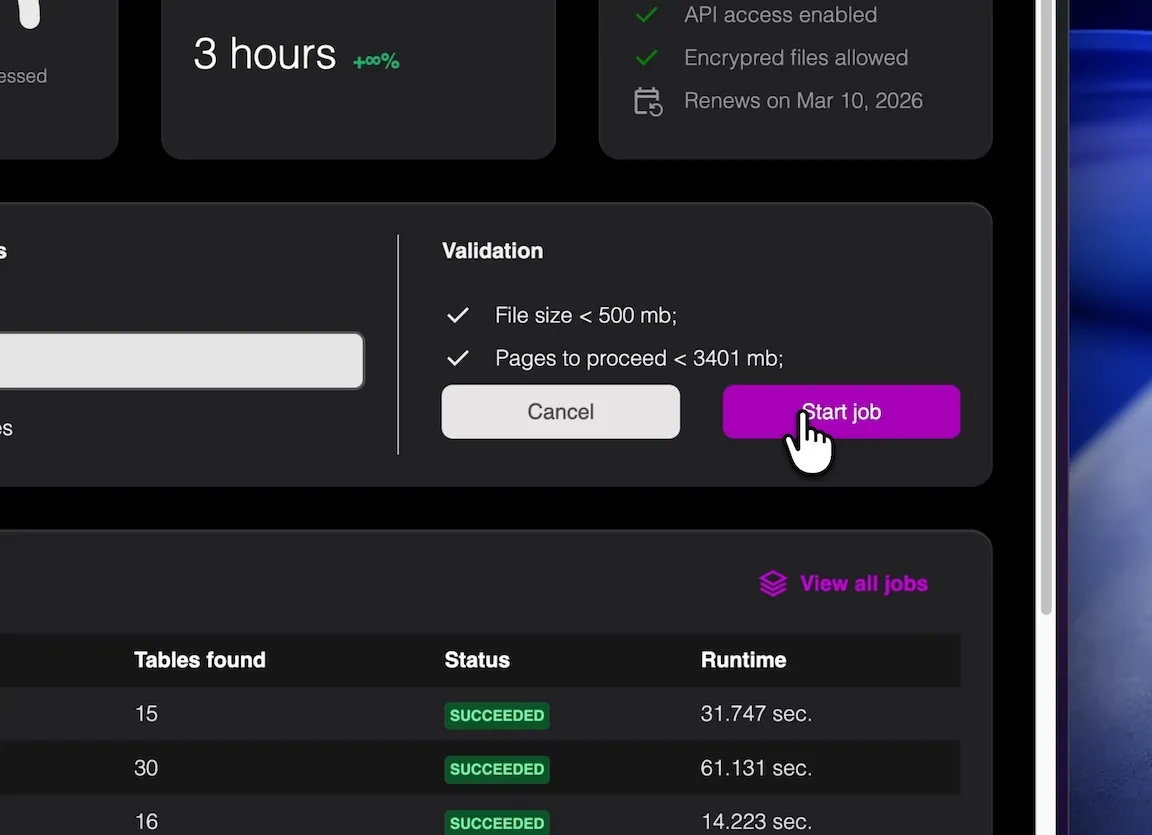
Export your data in spreadsheet-ready format for immediate use.
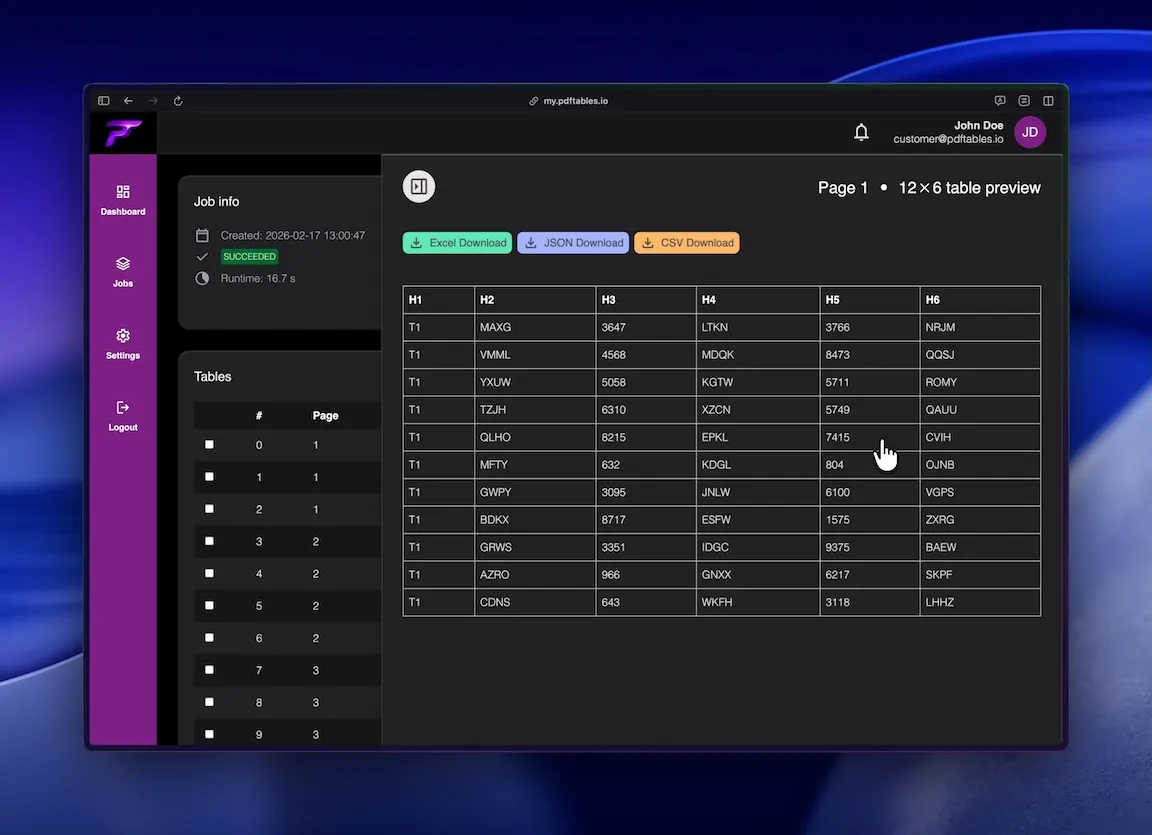
Produce XLS-compatible files for older internal systems and templates.
Extract transaction and invoice tables from PDF into spreadsheet format for reconciliation.
Convert recurring PDF reports into tabular data for monthly tracking.
Precise table extraction like enterprise software and easy to use as a simple tool.
Maintains column alignment and reduces broken copy-paste output from PDFs.

Supports workflows that still rely on XLS-compatible spreadsheet processing.

Use OCR to convert table content from scanned documents into structured rows.
This is all you need: Upload a file, receive a job_id, poll status, and download extracted tables in the format you
need.
POST /v1/uploadGET /v1/extraction/{job_id}GET /v1/download/{table_id}?format=xlsx|csv|json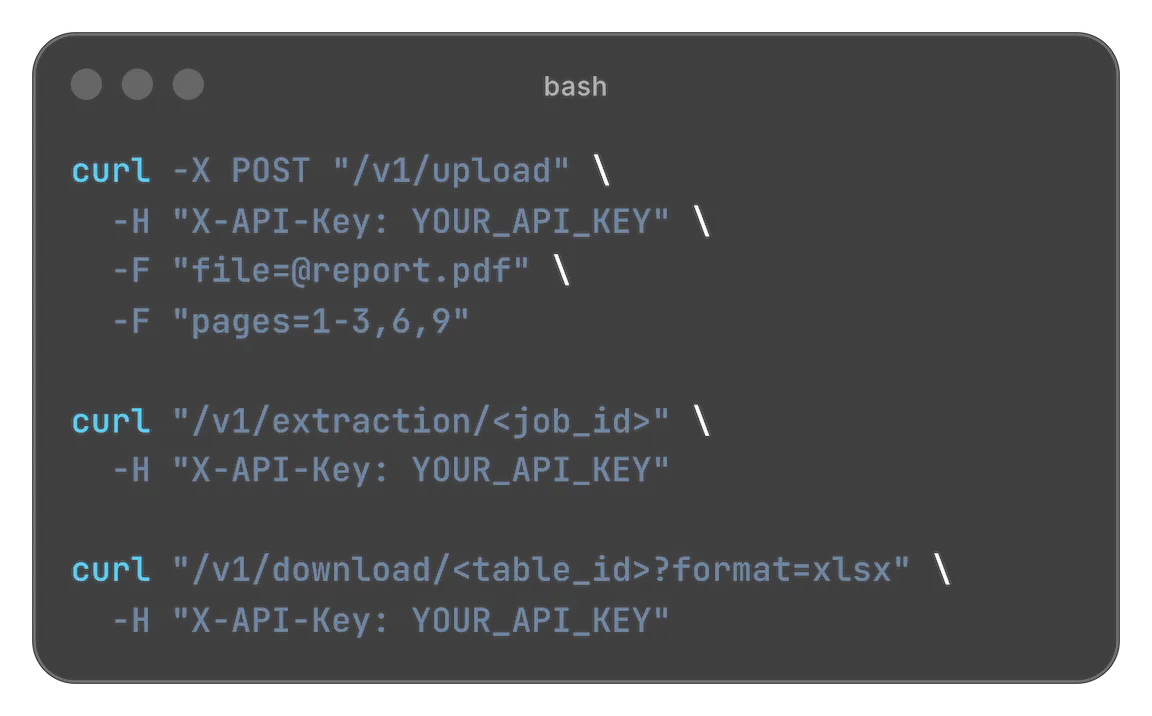
Designed for easy usage combined with powerful performance

 Security & privacy: Files processed securely. Data retention configurable.
Although newer spreadsheet standards are common, many organizations still search for 'convert pdf to xls' because legacy templates, internal tools, and partner processes depend on XLS-compatible formats. pdftables.io helps teams extract tables from PDF files and produce structured spreadsheet output that fits these environments.
A surprising number of reporting and bookkeeping workflows still rely on older spreadsheet standards. Teams often inherit templates, macros, or integration steps that expect data in a legacy-compatible format.
When source data arrives as PDF, this creates a bottleneck. Staff manually copy tables into spreadsheets and then spend additional time fixing alignment issues.
This manual process is slow and error-prone, especially with recurring monthly documents like statements or supplier summaries.
Automating PDF table extraction is the quickest way to maintain legacy compatibility while reducing manual effort.
PDF files are optimized for visual presentation, not structured data transfer. A table that looks neat on screen may not map cleanly when copied into a spreadsheet.
Common issues include merged cells, wrapped headers, and numeric values shifting into adjacent columns.
Scanned PDFs add another challenge because the text is image-based and requires OCR before extraction can happen.
A specialized extraction workflow addresses these issues by detecting tabular structure first and exporting clean rows and columns.
Accounting teams convert invoice and payment tables into spreadsheets for checks, reconciliations, and handoffs.
Operations teams transform PDF reports into analyzable tabular data without rebuilding each sheet manually.
Agencies and service providers use conversion workflows to standardize client documents that arrive in mixed PDF layouts.
Any process that depends on older spreadsheet compatibility can benefit from consistent PDF table extraction.
Upload your PDF and let the extraction engine detect table boundaries and column structure.
The parser converts each detected row into structured data while keeping values in the correct fields.
Review and export your output for spreadsheet workflows, including XLS-compatible use cases.
For teams that also need modern formats, the same extraction can be exported to XLSX, CSV, or JSON.
You do not need to choose between old system constraints and efficient workflows.
By automating PDF-to-table extraction, you can keep downstream compatibility while eliminating most manual reformatting work.
This improves speed, consistency, and data quality across recurring document processes.
If your workflow still depends on XLS-style outputs, pdftables.io helps you get there faster from any table-based PDF.
Start free. Upgrade when you need more.
$0 forever
High quality extractionOCR (for scanned documents)Data previewXLS, CSV and JSON download Up to 5 pages/month1 DATEV exports/monthUp to 10 MB per file
 No API accessNo encrypted files supported
$19.90 / month
or
$149 / year
High quality extractionOCR (for scanned documents)Data previewXLS, CSV and JSON downloadUp to 500 pages/monthUp to 100 DATEV exports/monthUp to 50 MB per fileAPI access enabledNo encrypted files supported$89 / month
or
$999 / year
High quality extractionOCR (for scanned documents)Data previewXLS, CSV and JSON downloadUp to 5000 pages/monthUp to 1000 DATEV exports/monthUp to 500 MB per fileAPI access enabledEncrypted files supportedNeed more pages? Feature request? Contact us.
Yes. This page targets teams that still work with legacy-compatible spreadsheet processes and need clean table extraction from PDFs.
Yes. You can use the same extraction result for XLSX, CSV, or JSON depending on your downstream workflow.
Yes. OCR can be used for scanned documents to recover table content before conversion.
The extraction engine is designed to preserve table rows and columns as accurately as possible for spreadsheet use.
Yes. It's a strong fit for recurring invoice, statement, and reporting PDFs.
No. You can upload PDFs and export structured data online.
Upload a PDF and extract clean spreadsheet data now.