
Reliable table detection
Extracts structured tables more accurately than manual copy-paste from PDFs.
No credit card required.

5 pages to analyze

Your document is being analysed. While you wait, you can enter your email address to ensure the results are assigned correctly.
A token is sent to your email address. Please enter this token below to verify your address.
Thank you! The extraction job is running.
View resultsStop manually adding, deleting and swapping rows and columns. Upload your bank statements, credit card bills, or invoices as PDF, create your own structure and export to exactly the format you need.
| Umsatz | Soll/Haben | BU-Schlüssel | Belegdatum | Konto |
|---|---|---|---|---|
| 1250,00 | S | 9 | 1503 | 8400 |
| 45,99 | H | 9 | 1603 | 4900 |
| 3200,50 | S | 8 | 1803 | 8300 |
| 89,70 | H | 9 | 2103 | 4930 |
| 560,00 | S | 9 | 2203 | 8400 |
| 149,99 | H | 9 | 2303 | 4950 |
| 980,25 | S | 8 | 2403 | 8300 |
| 72,10 | H | 9 | 2503 | 4925 |
| 430,00 | S | 9 | 2603 | 8400 |
| 215,60 | H | 9 | 2703 | 4980 |
| 1750,00 | S | 8 | 2803 | 8300 |
Convert tables from PDFs to Excel, CSV, JSON or DATEV in 3 easy steps
Add the PDF that contains the table data you need.
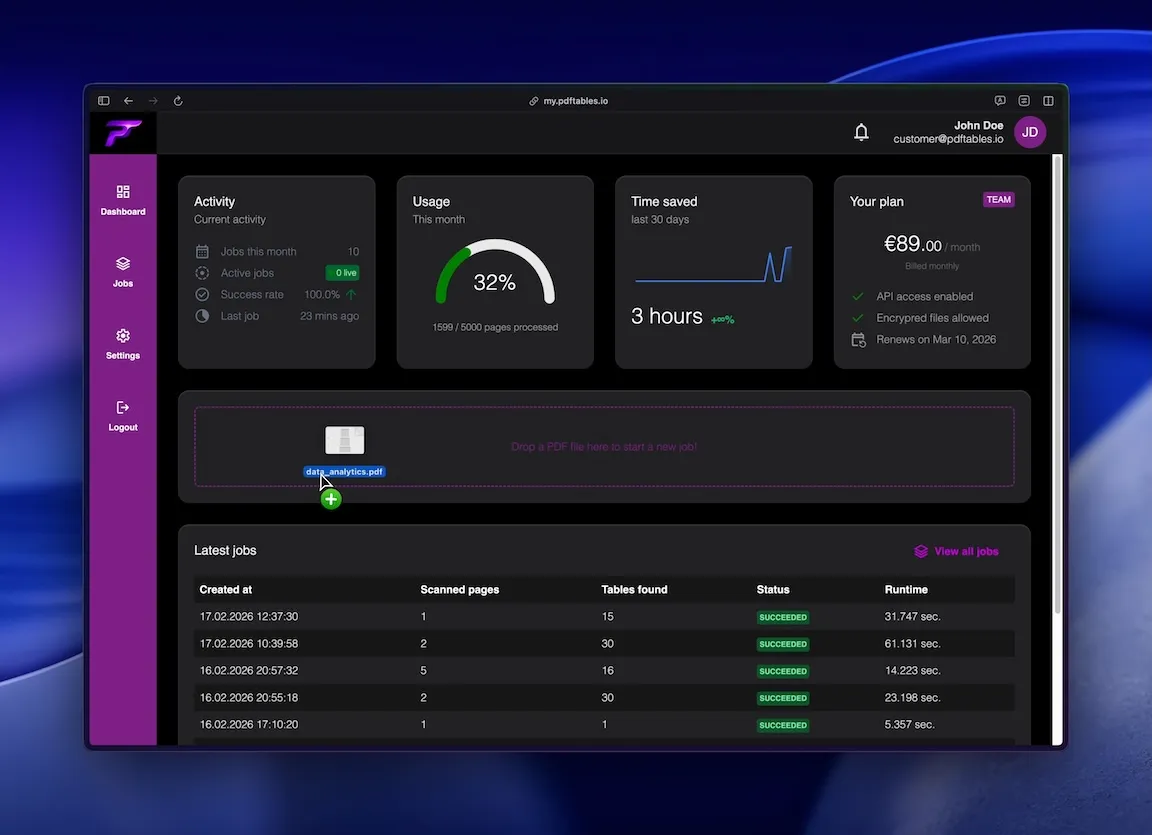
We detect table structure and convert rows and columns into structured data.
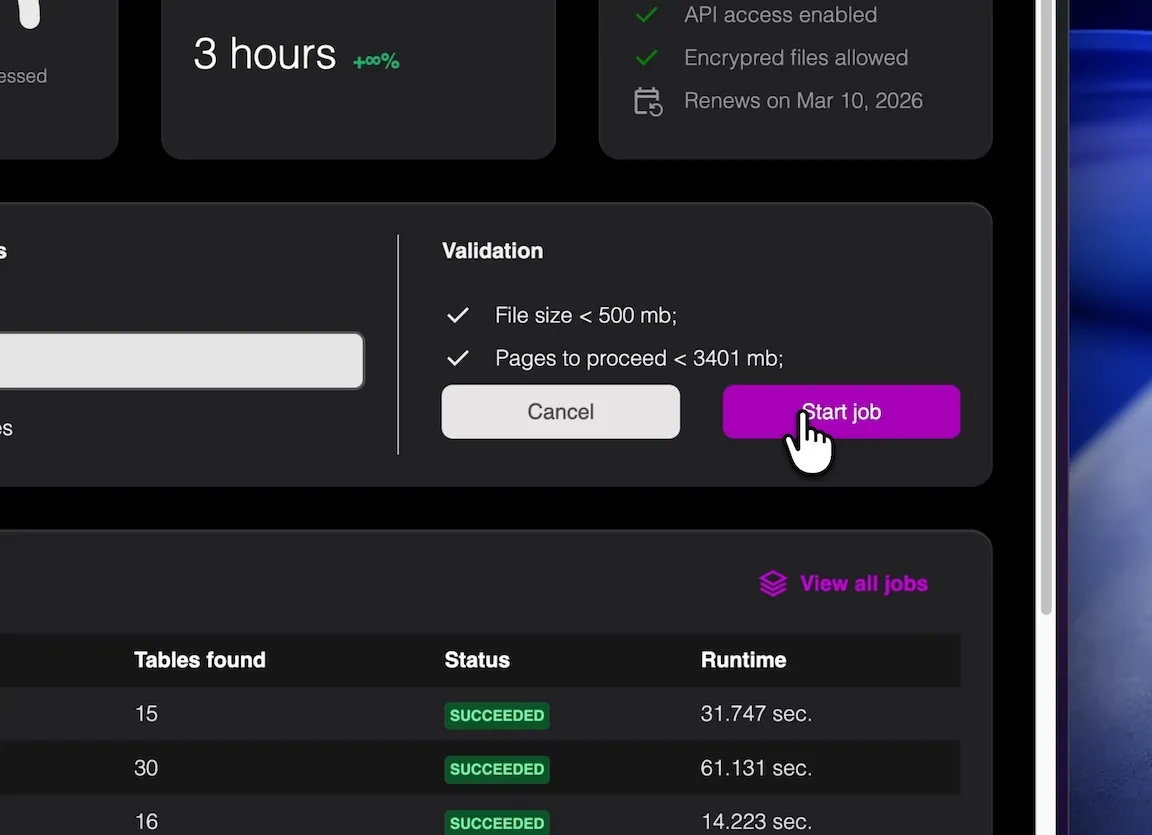
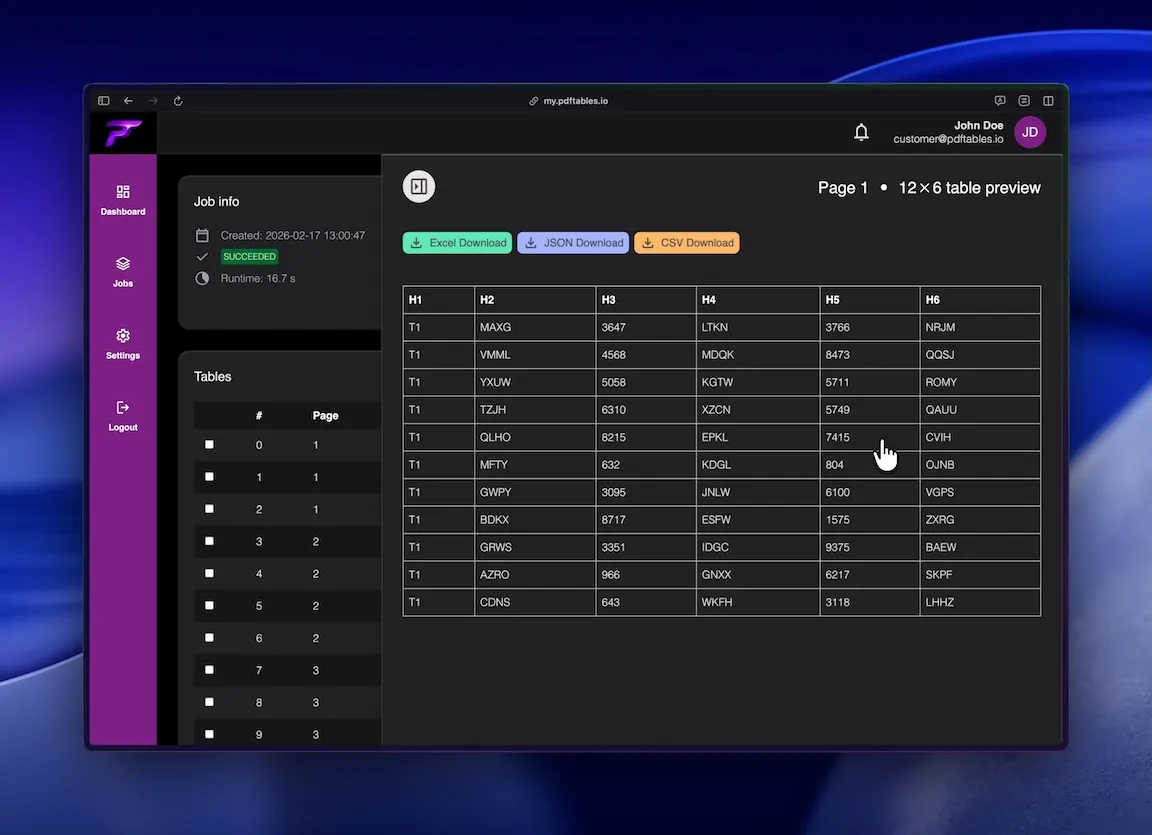
Save the result as XLSX (or CSV/JSON) and continue working immediately.
Save invoice and transaction PDFs as Excel to speed up recurring bookkeeping tasks.
Turn PDF reports into editable spreadsheets for tracking and planning.
Extract tables from static PDFs for analysis, pivots, and dashboards.
Precise table extraction like enterprise software and easy to use as a simple tool.
Extracts structured tables more accurately than manual copy-paste from PDFs.

Export to XLSX by default, with CSV and JSON available for pipelines.

Convert scanned PDFs to spreadsheet-ready table data with OCR support.
This is all you need: Upload a file, receive a job_id, poll status, and download extracted tables in the format you
need.
POST /v1/uploadGET /v1/extraction/{job_id}GET /v1/download/{table_id}?format=xlsx|csv|json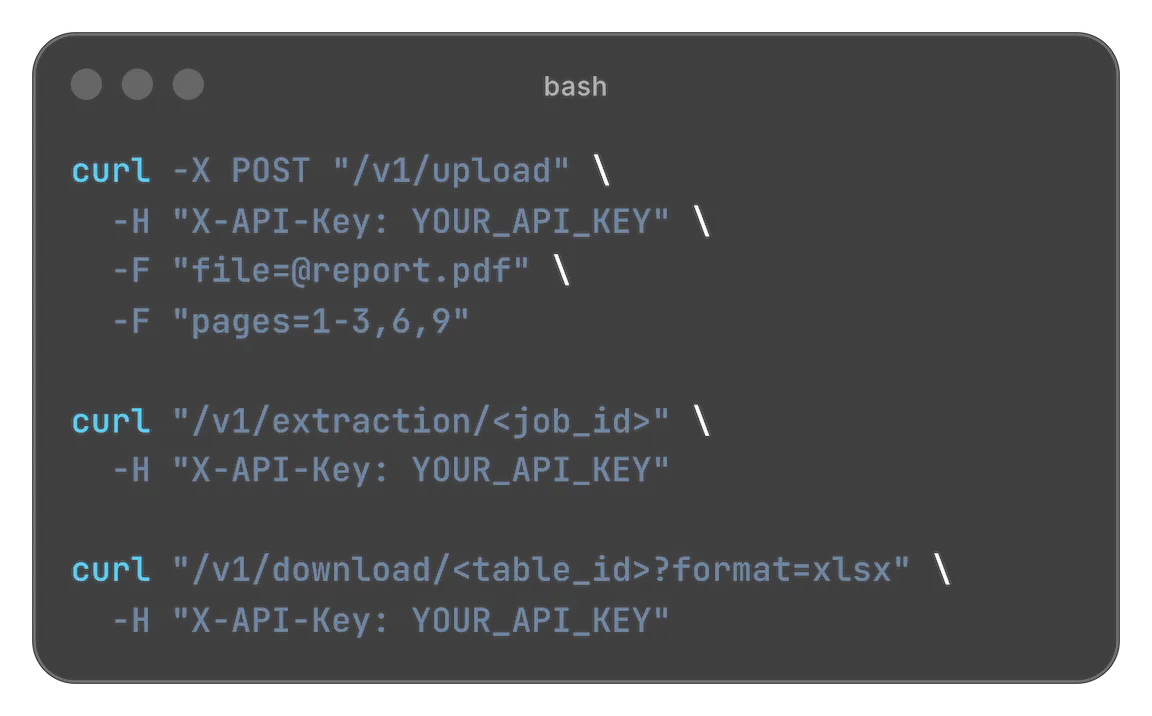
Designed for easy usage combined with powerful performance

 Security & privacy: Files processed securely. Data retention configurable.
'Save PDF as Excel' is a practical intent with high demand because teams constantly receive tabular business data in PDF format. While PDFs are easy to share, they are hard to edit and analyze. pdftables.io helps convert those tables into clean Excel files so teams can work with the data directly.
Invoices, bank statements, expense summaries, and operational reports often arrive as PDFs.
The data is visible but not editable, so teams lose time manually copying values into spreadsheets.
This slows down reporting cycles and introduces errors, especially for recurring monthly tasks.
Saving PDF tables directly as Excel solves this bottleneck and improves consistency.
Copy-paste from PDF frequently breaks columns and mixes values into the wrong fields.
Merged headers and irregular layouts make manual cleanup frustrating and slow.
Scanned documents add another layer of complexity because text must first be recognized.
A dedicated extraction workflow handles these issues automatically and preserves structure.
Accounting teams save PDF statements as Excel for reconciliation and close.
Operations teams convert supplier and shipping PDFs into spreadsheets for KPI tracking.
Consultants and agencies normalize client PDF reports into one consistent table format.
Analysts combine extracted Excel outputs with other datasets for cross-reporting.
Upload a PDF file and let the parser detect table boundaries and columns.
Extracted rows are normalized to preserve numeric and date integrity.
Download output as XLSX for spreadsheet editing, or CSV/JSON for data workflows.
Use the same repeatable process for recurring document batches.
Instead of manually rebuilding every table, you can automate extraction and keep your team focused on review and decisions.
This approach reduces turnaround time and improves data quality across departments.
Whether you process five PDFs or five hundred, structured conversion scales better than manual entry.
If your goal is to save PDFs as Excel quickly and accurately, pdftables.io gives you a practical workflow.
Start free. Upgrade when you need more.
$0 forever
High quality extractionOCR (for scanned documents)Data previewXLS, CSV and JSON download Up to 5 pages/month1 DATEV exports/monthUp to 10 MB per file
 No API accessNo encrypted files supported
$19.90 / month
or
$149 / year
High quality extractionOCR (for scanned documents)Data previewXLS, CSV and JSON downloadUp to 500 pages/monthUp to 100 DATEV exports/monthUp to 50 MB per fileAPI access enabledNo encrypted files supported$89 / month
or
$999 / year
High quality extractionOCR (for scanned documents)Data previewXLS, CSV and JSON downloadUp to 5000 pages/monthUp to 1000 DATEV exports/monthUp to 500 MB per fileAPI access enabledEncrypted files supportedNeed more pages? Feature request? Contact us.
Yes. You can extract table data from PDFs and export it as editable XLSX.
Yes. OCR can be used to read and extract tables from scanned files.
You can also export to CSV or JSON if needed.
Absolutely. It's designed to reduce repetitive manual work in recurring workflows.
The extraction is built to preserve row and column structure for spreadsheet use.
No. You can run the conversion online and download the result directly.
Upload a PDF and get a clean, editable spreadsheet in minutes.